Quick Guide YM Zenit
+
12
SETTINGS > Machine
12 Check and Complete Base Settings
1. Activate the edit mode with .
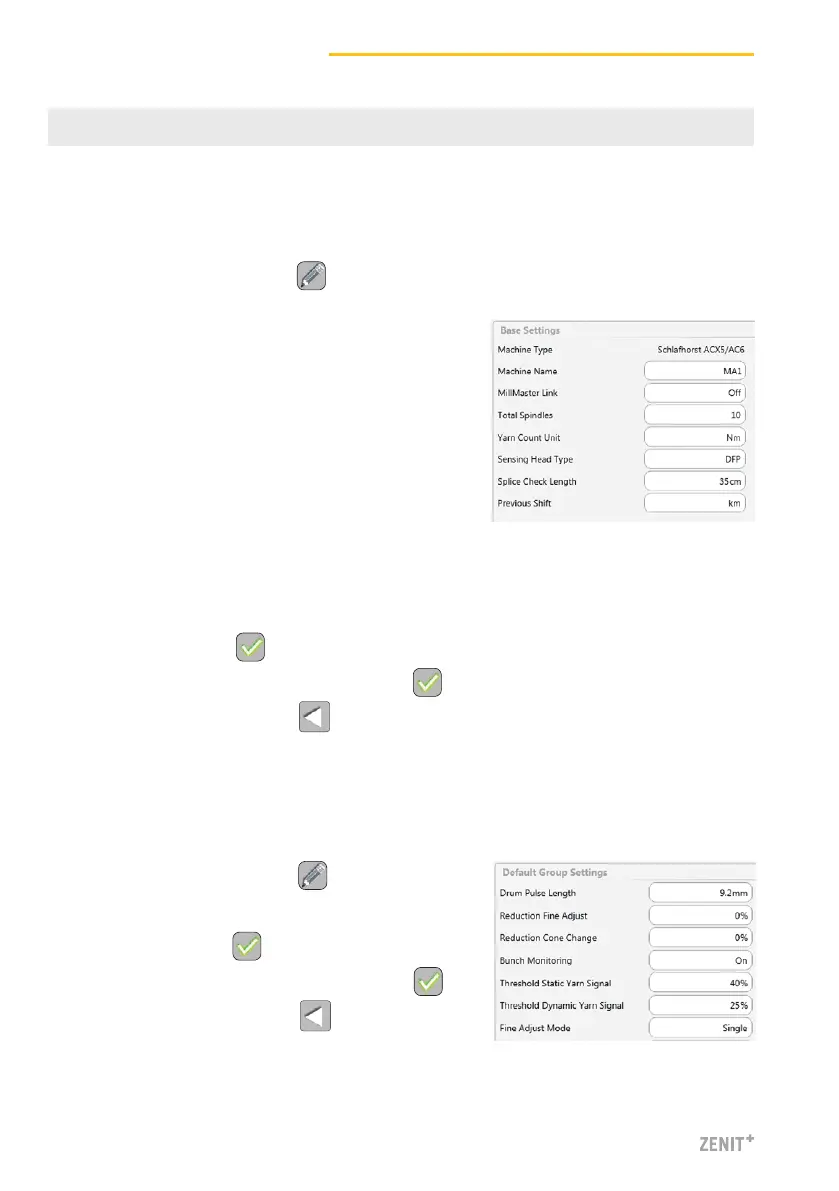
2. Check and complete the base settings as follows:
Machine Type Read only
Machine Name Enter name (optional)
MillMaster Link On / Off
Total Spindles Enter total number of
winding units of machine
Yarn Count Unit Select unit (z.B. Nm, Ne)
Sensing Head Type Installed sensing head type
(D, DF, DFP)
Splice Check Length Use default setting
Previous Shift km / kg
> Default Group Settings
1.
Activate the edit mode with .
2. Accept / change default settings.
3. Save settings with .
4. Confirm pop-up “Save machine settings” with .
5. Return to the overview with .
3. Save settings with .
4. Confirm pop-up “Save machine settings” with .
5. Return to the overview with .
> Base Settings



 To Next Page