Quick Guide YM Zenit
+
14
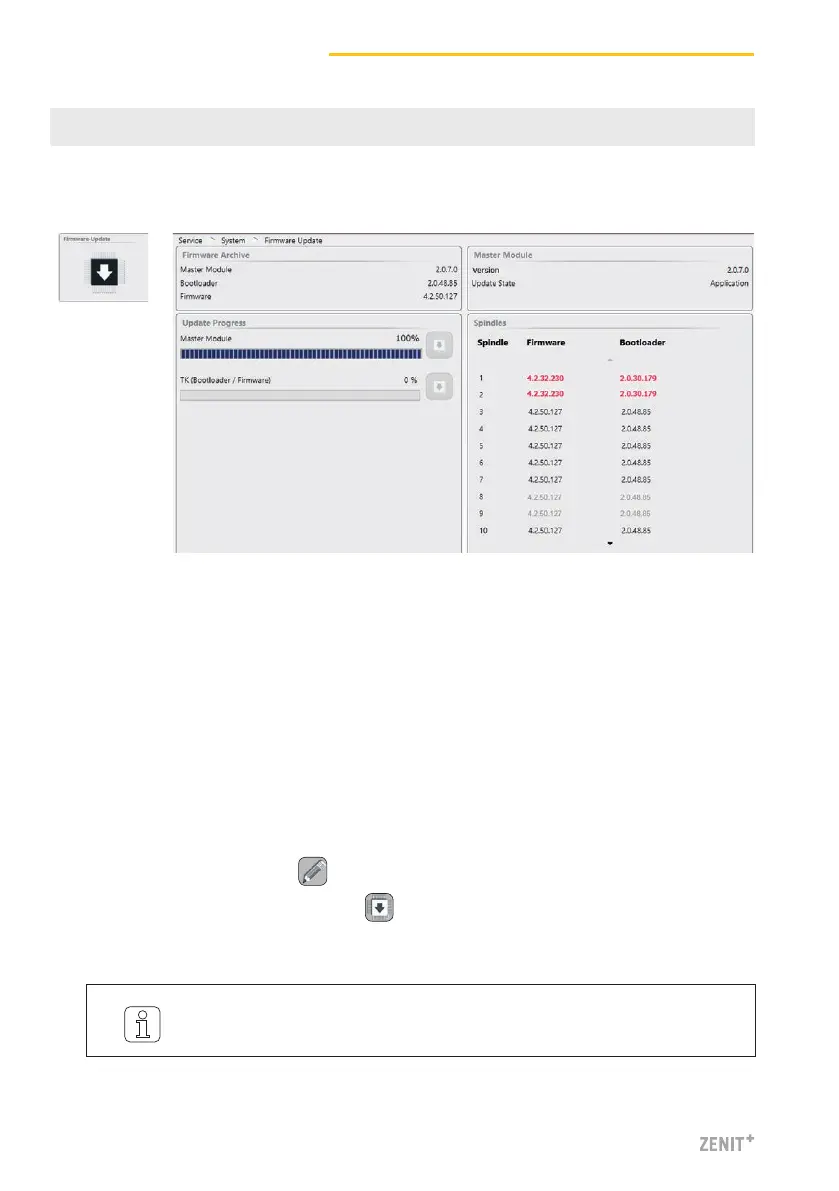
Perform the firmware update
If the versions do not match (e.g., after a master module or a sensing head exchange), the cor-
responding firmware update must be performed:
1. Activate the edit mode with .
2. Start the Master Module update with .
» The status of the update is displayed in the progress bar.
SERVICE > System > Firmware Update
13 Firmware Update
Master Module, Bootloader and Firmware Versions
The versions shown in the “Master Module” field and in the “Spindles” field
must match the versions shown in the “Firmware Archive” field.
Red version number: versions do not match
Grey version number: TK is offline
It can take some time (30 s) until the update is terminated and the respec-
tive next update button becomes active!



 To Next Page