3. Display
3.1 Button Bar
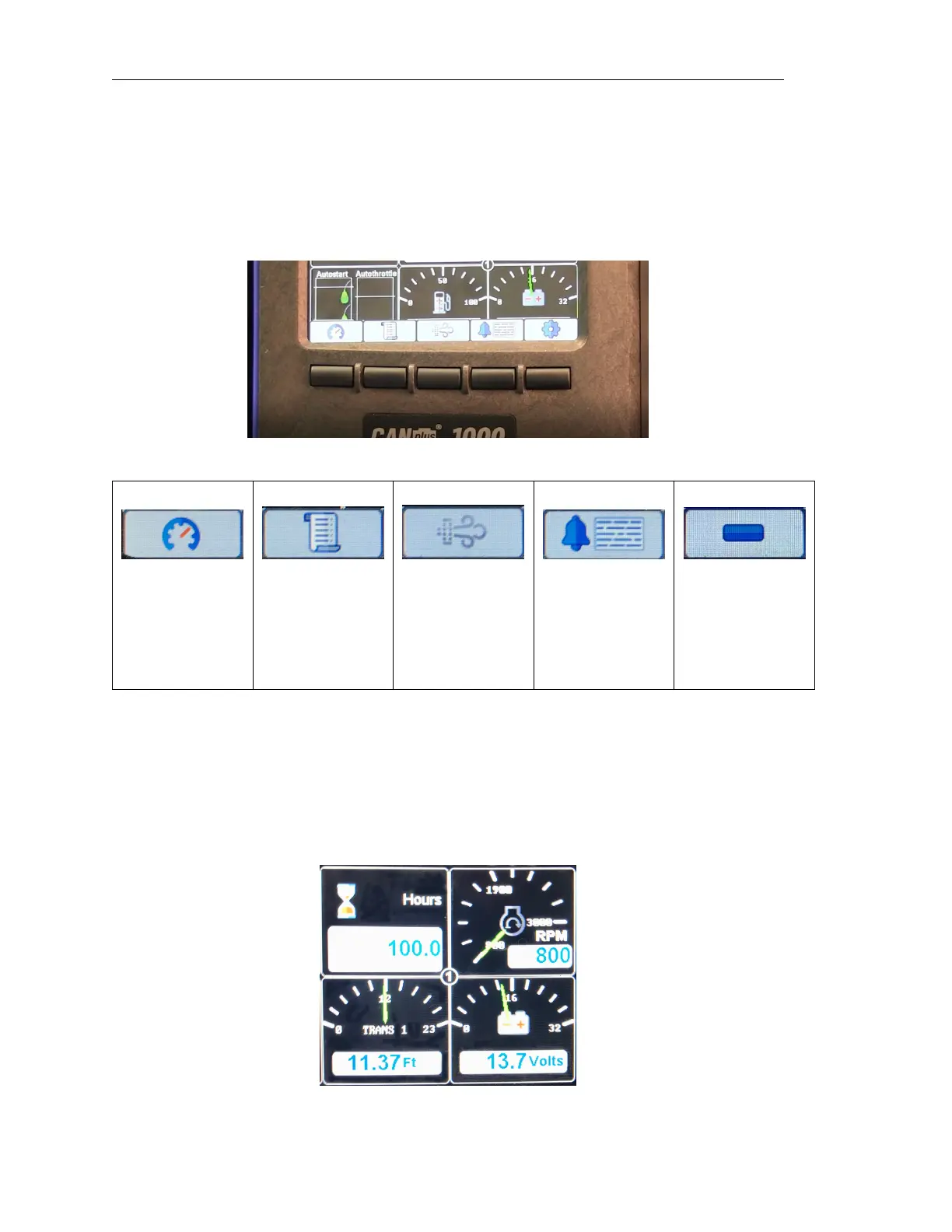
Pressing any of the first five (5) soft keys on the display will prompt the ”button bar” key function
legend to appear at the bottom of the display above the keys. The button bar will show an icon above
the button which corresponds to its current function.
Button 1 Button 2 Button 3 Button 4 Button 5
Analog Gauge
Pages
Digital Gauge
Pages
Single Analog
Gauge
Active Alarm
Page
Menus
Each press
cycles through
the four pages of
analog gauges
Displays the
Database Viewer
Displays
Emission Control
menus
Displays active
alarms including
plain language
description
Opens Menus
3.2 Gauge Pages
There are four (4) independently configurable pages of analog gauges. To enable Analog Gauge
Pages, press any of the first four (4) buttons to show the top level button bar and then press button 1
to cycle through the pages. The current page is indicated by the number in the center of the screen.
Page 6 LOFA document No. 463-3002-59 Page 6



 To Next Page