3. Display
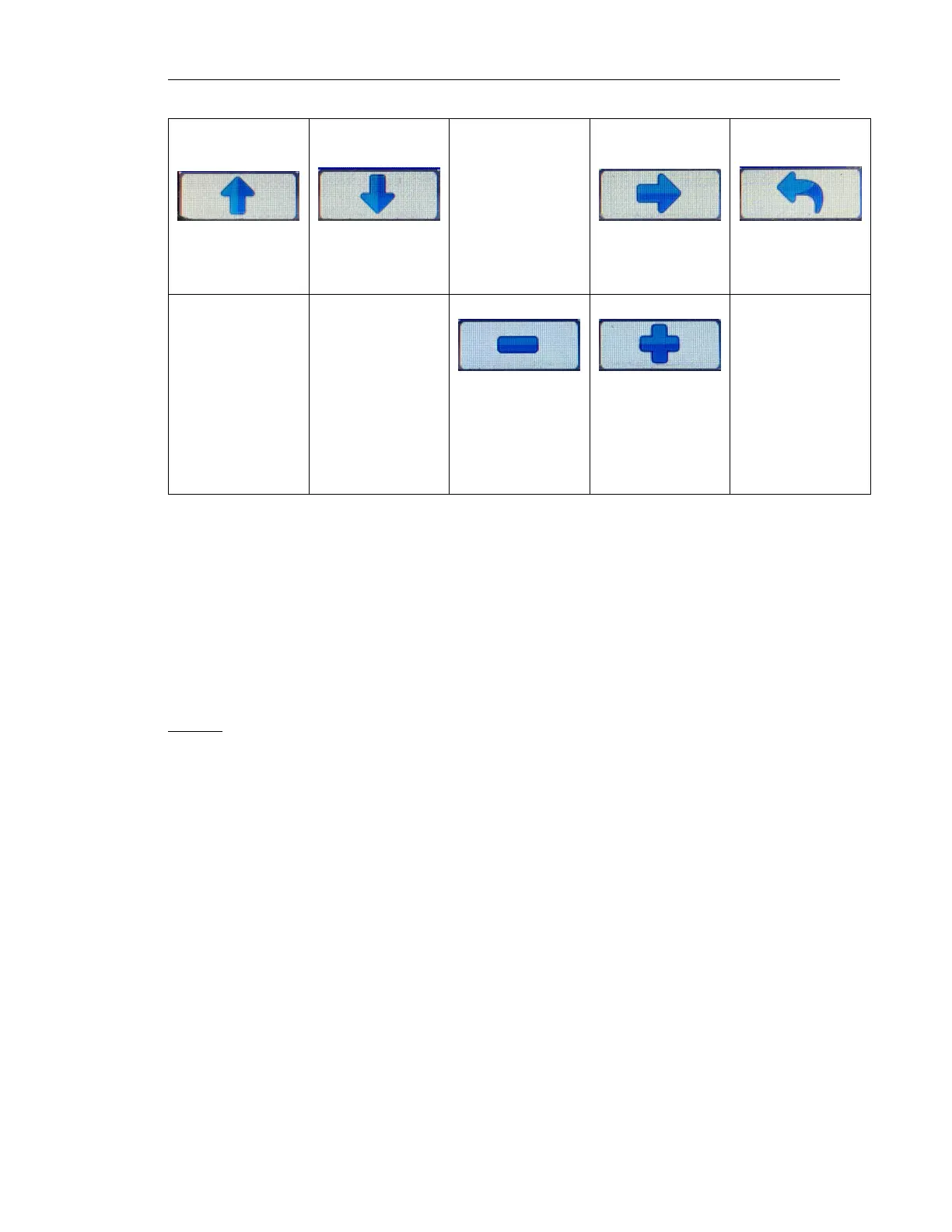
Button 1 Button 2 Button 3 Button 4 Button 5
Sroll Up Scroll Down [Intentionally
Blank]
Go into Selected
Submenu
Return to
Previous Menu
Decrement Value Increment Value
or or
Previous
Selection
Next Selection
3.8.1 Menu Tree
The menu tree is shown below. Some menus items are suppressed based on the access level
currently allowed. The color of the text in the tree indicates the minimum access level required for
this particular item to be available for displaying.
Black = User
Green = Tech
Red = Admin
Display
• Language
• Units
– Distance
– Pressure
– Volume
– Temperature
• Gauges
– Quadrant Page 1-4
*
Top Left
*
Top Right
*
Bottom Left
*
Bottom Right
• Power Timeout
LOFA document No. 463-3002-59 Page 11


 To Next Page