7. Configuration
7.3 LOFA CANplus
®
Customizer Software Suite and a USB drive
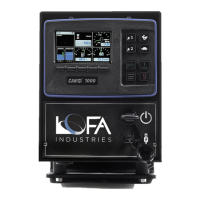
The CP1000 introduces the ability to import and export configurations using a USB drive avoiding
the need to purchase and have onsite a LOFA CANplus
®
Config Kit as well as disconnecting the
panel from the engine. The panel’s USB port is located on the front of the panel under the keyswitch.
It is recommended that the dirt and dust plug be inserted into the USB port when the port is not in
use. Additionally, the port can be used to charge a phone if desired.
Install the USB drive in the panel’s USB port. The current configuration can be exported by going to
System Export Config
. To import a new configuration, the menu access level must be at the Tech or
Admin level (see section 3.8.2 Access Levels). A new configuration is imported by going to
System
Import Config
. New configuration changes take effect immediately. Therefore, the engine should not
be running when importing a new configuration.
When finished with exporting of importing configurations, remove the USB drive and reinstall the dirt
and dust rubber plug.
Page 34 LOFA document No. 463-3002-59 Page 34


 To Next Page