User Manual
23/183
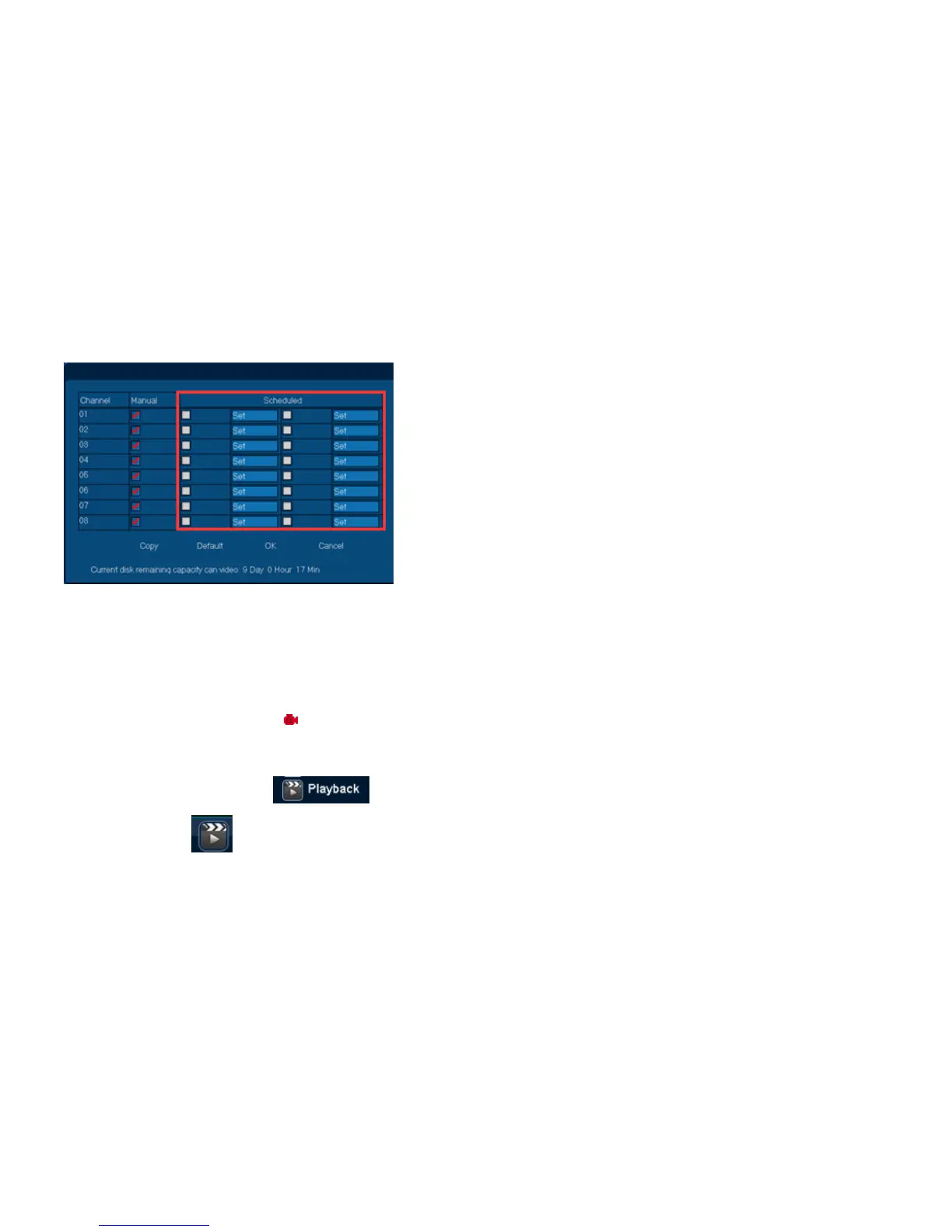
Step I: Open and Setup Scheduled Record
1. Right Click Menu or Main Menu. Select [Record Setup];
2. Select channel, and choose „Scheduled‟ option;
Remarks: [Copy] can make the settings apply to all channels
3. Single click [Set] to modify Scheduled Record time range;
Remarks: Scheduled Record can be divided into 2 time ranges.
4. Single click [OK] to OPEN Scheduled Record
Remarks: channel has the icon: .
3.2.7.4 Playback
Function Location: Right Click Menu:
Main Menu:
Function Summary:



 To Next Page