User Manual
63/183
Note: The more number, the more sensible, the much easier to detect the move object
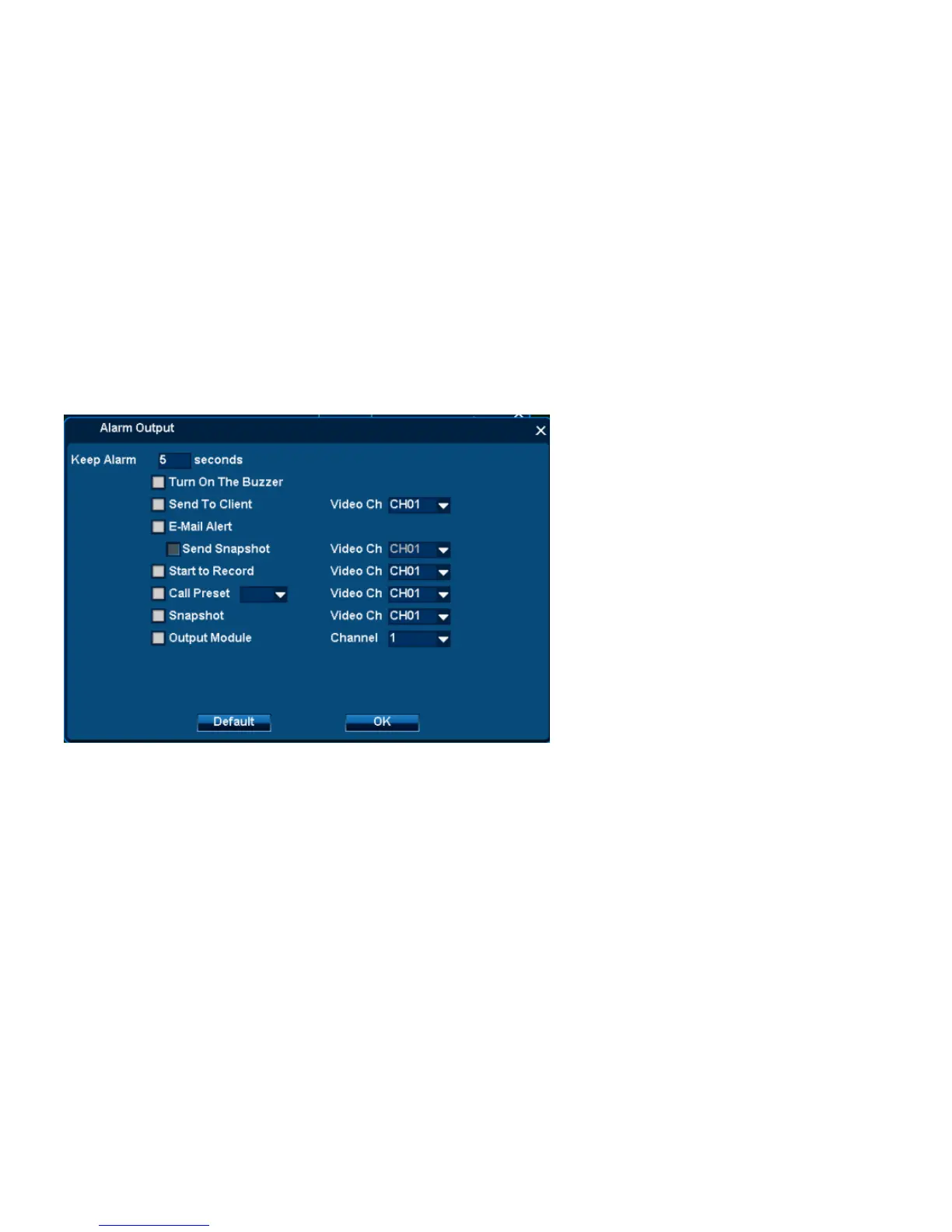
Step 4:Choose Alarm out
1. Click Alarm output【setting】
2. Setting parameters:
◆Keep Alarm:1-999s available
◆Turn on the Buzzer: DVR will send out buzzer alarm
◆Send to Client: It will send alarm to Client-end
◇Video channel: the Client-end connect with this channel
◆E-mail alert: It will send emails to collection box


 To Next Page