User Manual
65/183
Note:【 Copy】,other channels can have same setting
2. Click【set】
Step 2:Setting parameter
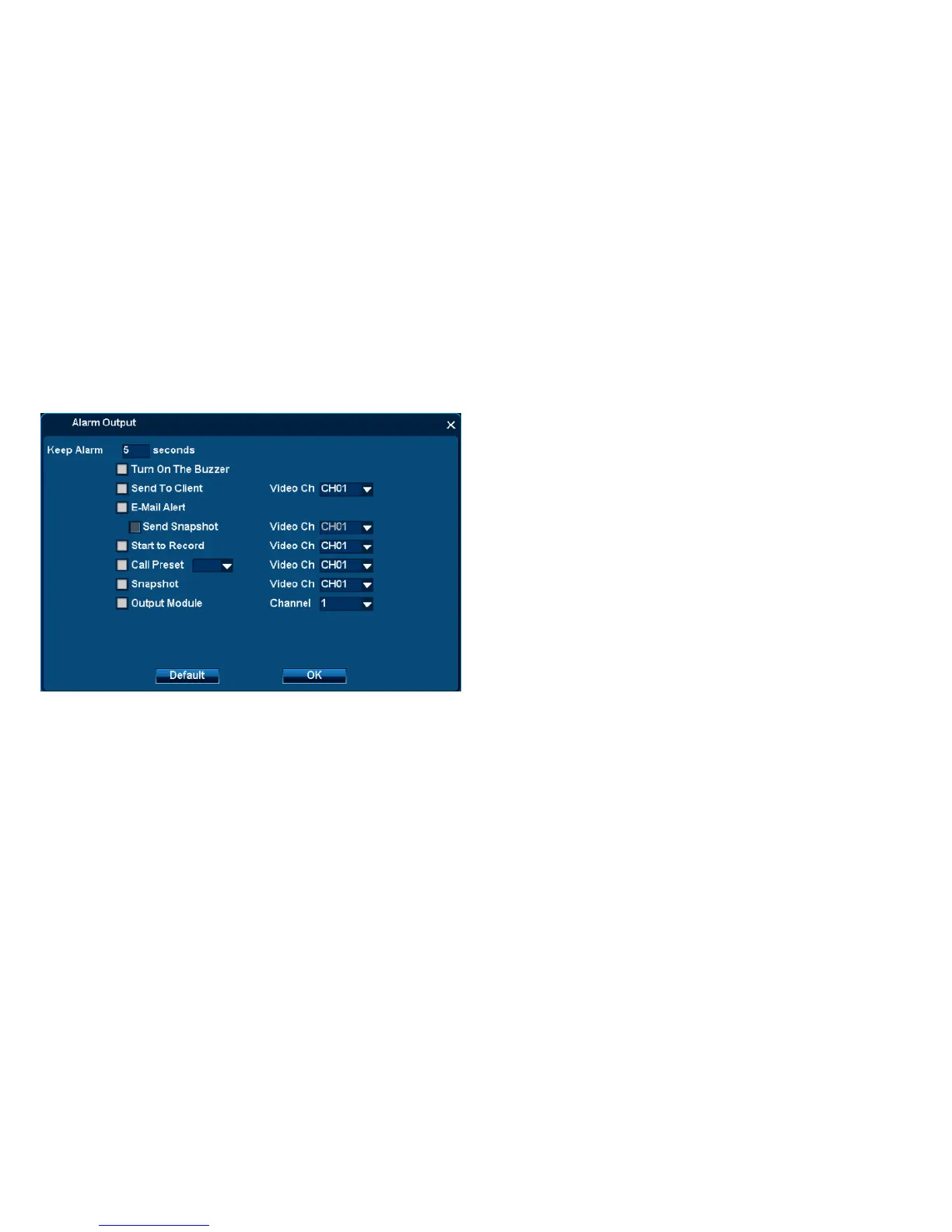
1.Setting parameters:
◆Keep Alarm:1-999s available
◆Turn on the Buzzer: DVR will send out buzzer alarm
◆Send to Client: It will send alarm to Client-end
◇Video channel: the Client-end connect with this channel
◆E-mail alert: It will send emails to collection box
◇Send picture in attachment
◆Start record: It will record the selected channels
◆Call preset: It will adjust selected preset of PTZ channel
◆Snapshot: It will snapshot the selected channel and save images.



 To Next Page