Prepare the recorder
l
Download the unit to save any recorded data.
l
Hibernate the unit using LogTag
®
Analyzer.
Failing to hibernate the recorder may result in serious
memory corruption. As a result you may no longer be able to
use this product.
Remove the old battery
l
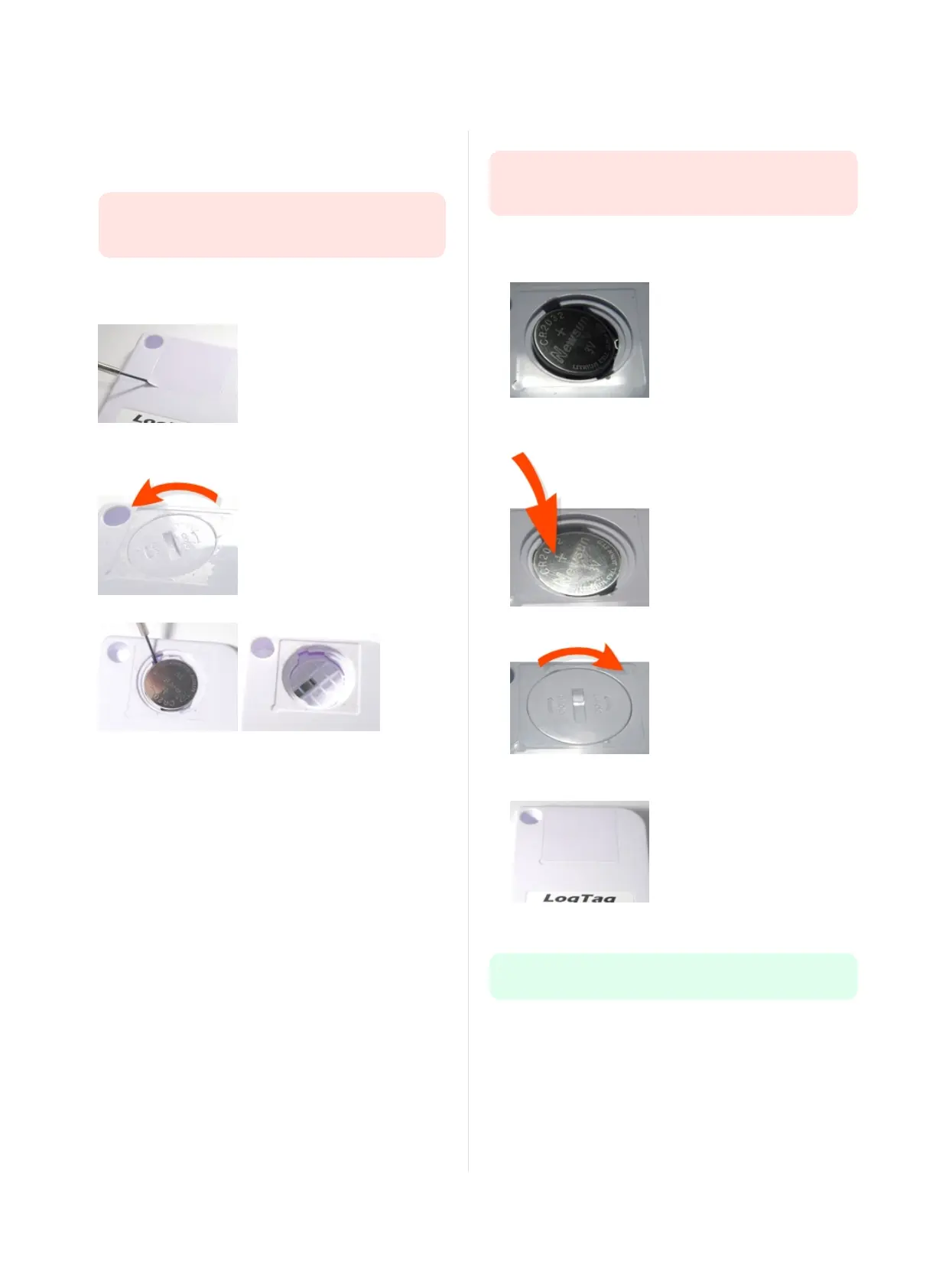
Carefully remove the rear label covering the battery door using a
small-bladed screwdriver or knife:
l
Use a coin to turn the battery door anti-clockwise; remove it from
the case:
l
Remove the battery using a small-bladed screwdriver, as shown:
Insert the new battery
Only use batteries from a reputable manufacturer! Check the
operational temperature range of the battery and make sure it
covers the range of the UTRID-16.
l
Put a new CR2032 cell into the battery compartment as shown;
the right hand edge of the battery is inserted first against the
contact:
l
Press firmly down on the left hand side of the battery to click the
battery into place:
l
Replace the battery door; turn clockwise to lock it into place.
l
Cover the battery door with either a new label (Part # 100-
000502) or reuse the old one.
l
Re-configure the recorder with LogTag
®
Analyzer.
Please recycle or dispose of the old battery according to your local
environmental regulations.
Page i of 1 UTRID-16 Product User Guide, Revision 1, copyright © 2004-2016, LogTag
®
Recorders . All rights reserved.
Appendix 1 - Battery Replacement
www.GlobalTestSupply.com
Find Quality Products Online at: sales@GlobalTestSupply.com


 To Previous Page