Chapter 6 Customizing the software 101
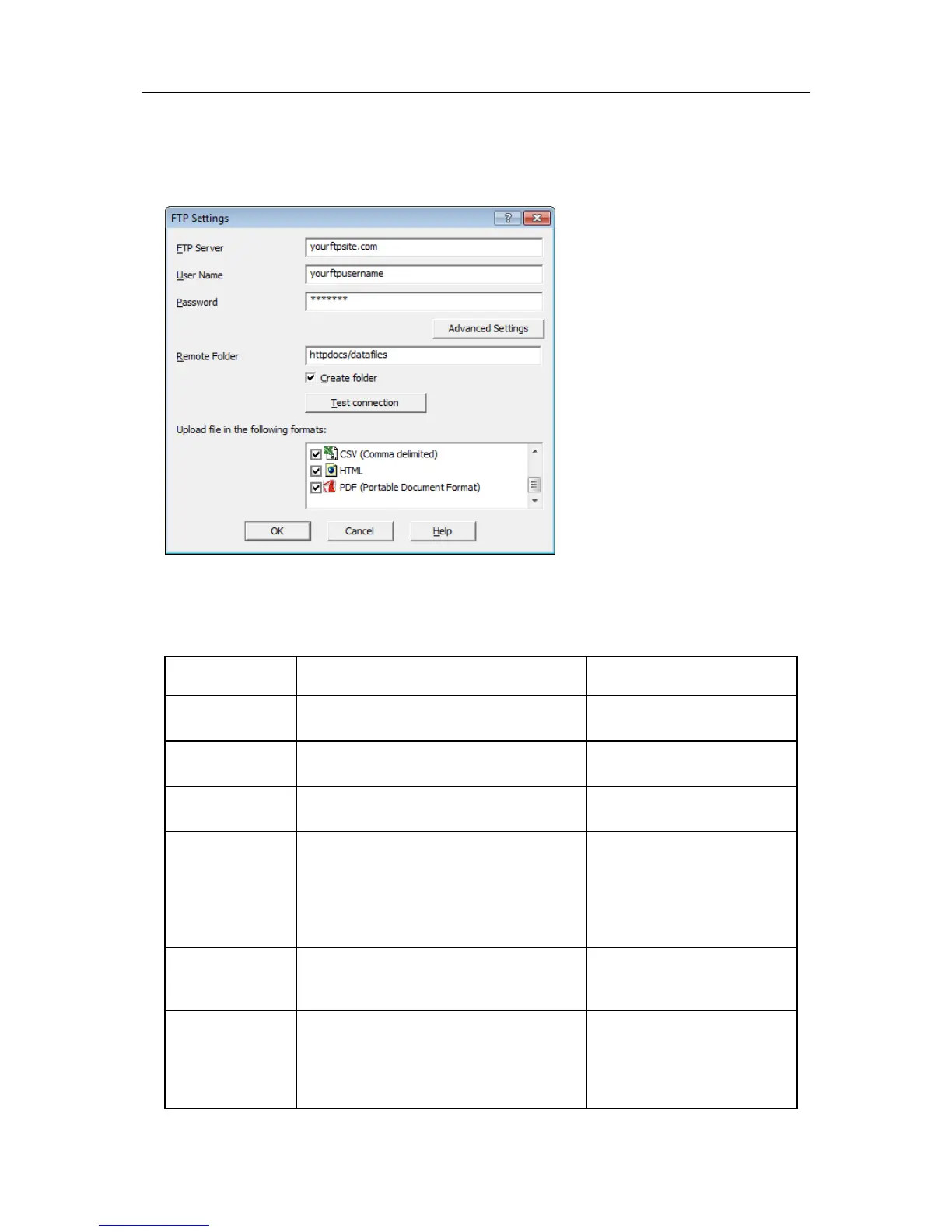
Once you have clicked the "FTP Settings" button a dialogue window will appear, allowing
you to enter the configuration data for the FTP site access.
If you have been supplied with access data by your network administrator we suggest you
print this page, enter the data into the fields provided and keep it in a safe place.
Field What to enter Your details
FTP Server Enter the name of the FTP site you were
given by your network administrator
User Name Enter the user name you have been
allocated by your network administrator
Password Enter the password you have been given
by your network administrator
Remote folder Enter the folder in which the data files
should be uploaded. Please note that not
all FTP servers allow creation of files or
folders in the root directory. Please discuss
any of your requirements with your
network administrator.
Create Folder Tick this box if the remote folder is not yet
present on the FTP site and you wish to
create it.
Upload file in the
following formats
Select all files that you wish to have
uploaded to the FTP site. Each file ticked
here will be created, regardless of the
settings made in "EDIT - OPTIONS -
EXPORTS AND REPORTS".



 To Next Page