Chapter 5 Results from LogTag 77
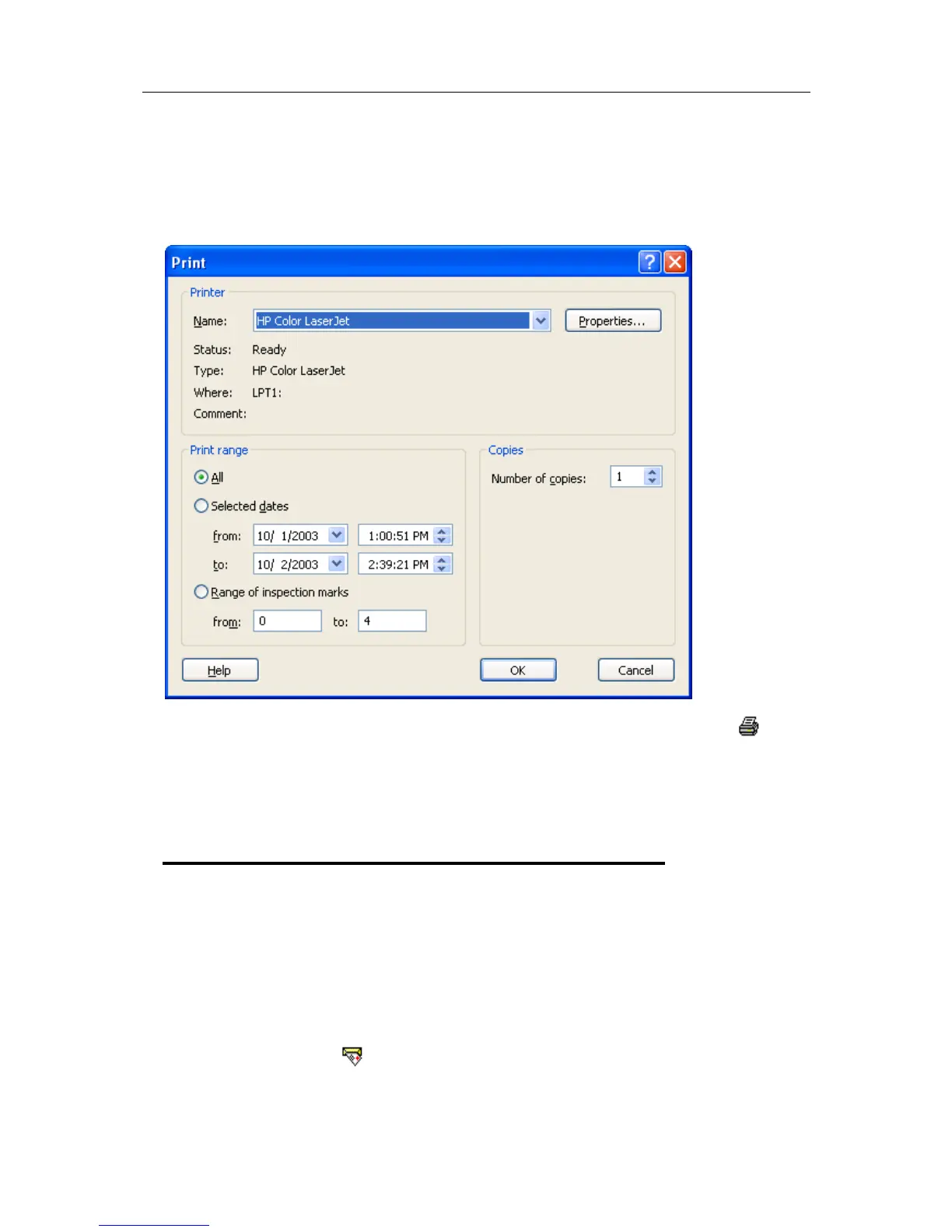
You can choose to print all of the information, select a range of dates and times to print
from or select a range of "inspection" marks. This could be a very important for transit
monitoring since post trip and pre-event data are not significant to a discussion or dispute
centering on a humidity and/or temperature maintenance issue.
The print window can be brought up by simply clicking once on the "Print" icon (
)
located on the toolbar (see "Menus and Toolbars" on page 117) or by clicking the
"Print..." menu item from within the File menu.
Sending a file by e-mail direct
from Analyzer
You can send files of interest to another person, by e-mail, directly from the software
without the need to exit to your e-mail software or to deal with file attachments.
While you have the file of interest open and being displayed on the screen, just click once
on the "Send Mail" icon (
) located on the toolbar (see "Menus and Toolbars" on page
117) and your e-mail software will pop up with the file already inserted as an attachment.



 To Next Page