Chapter 5 Results from LogTag 55
Inspecting the information at
close range
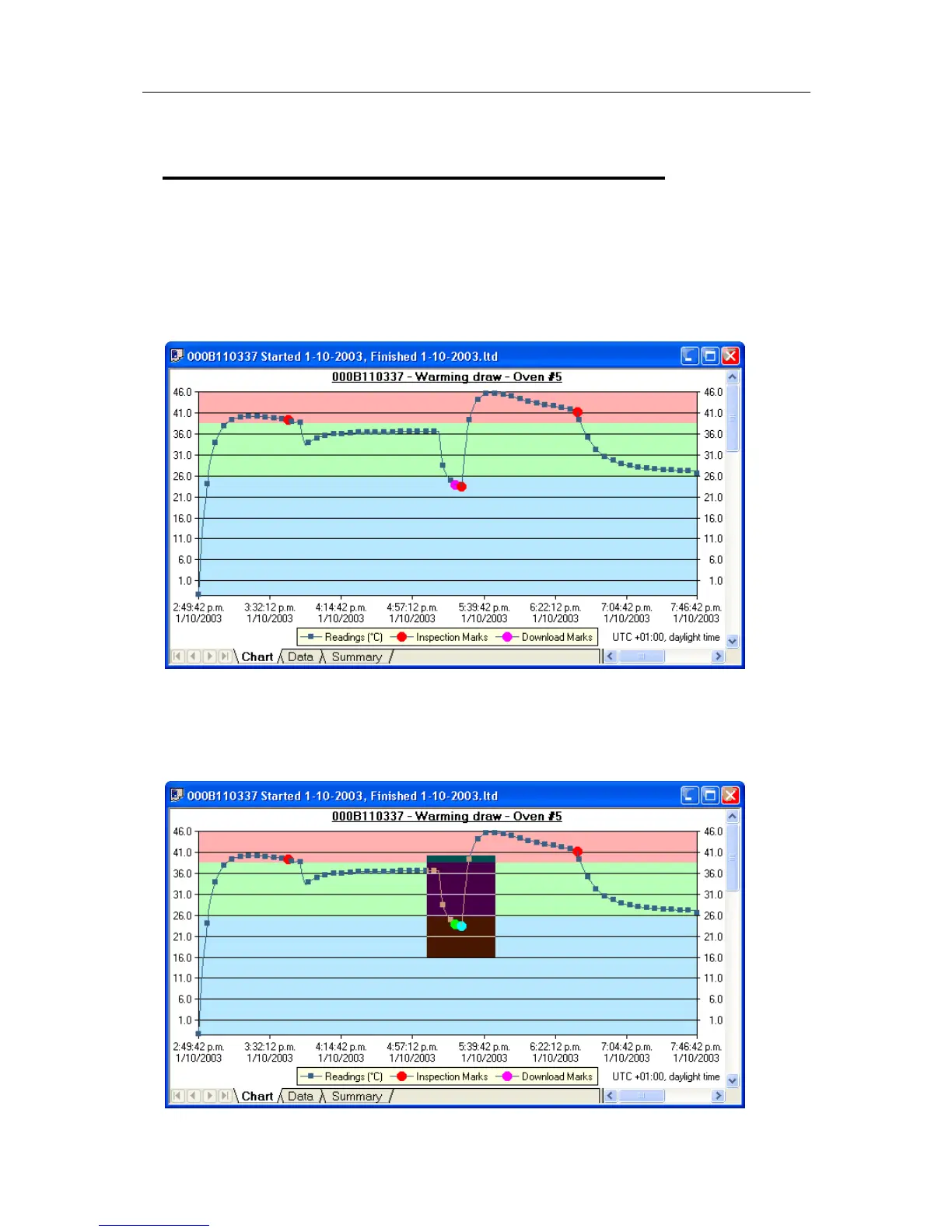
When a file is displayed either from downloading or from calling up a stored data file, the
file typically appears as a chart. It might look something like this:
The display does not show all of the available data points. For more detail, you can zoom
in and display just one small section of the charted data. Using the mouse, find the upper
left corner of a window of interest, hold down the left mouse button, and move the
mouse to the bottom right corner. The zone of interest will be highlighted.



 To Next Page