116 LogTag Analyzer User Guide (2.0)
Configuration Reports
It can sometimes be useful to keep a record of the configuration data of a LogTag
Recorder. LogTag Analyzer allows a number of selected configuration data to be stored in
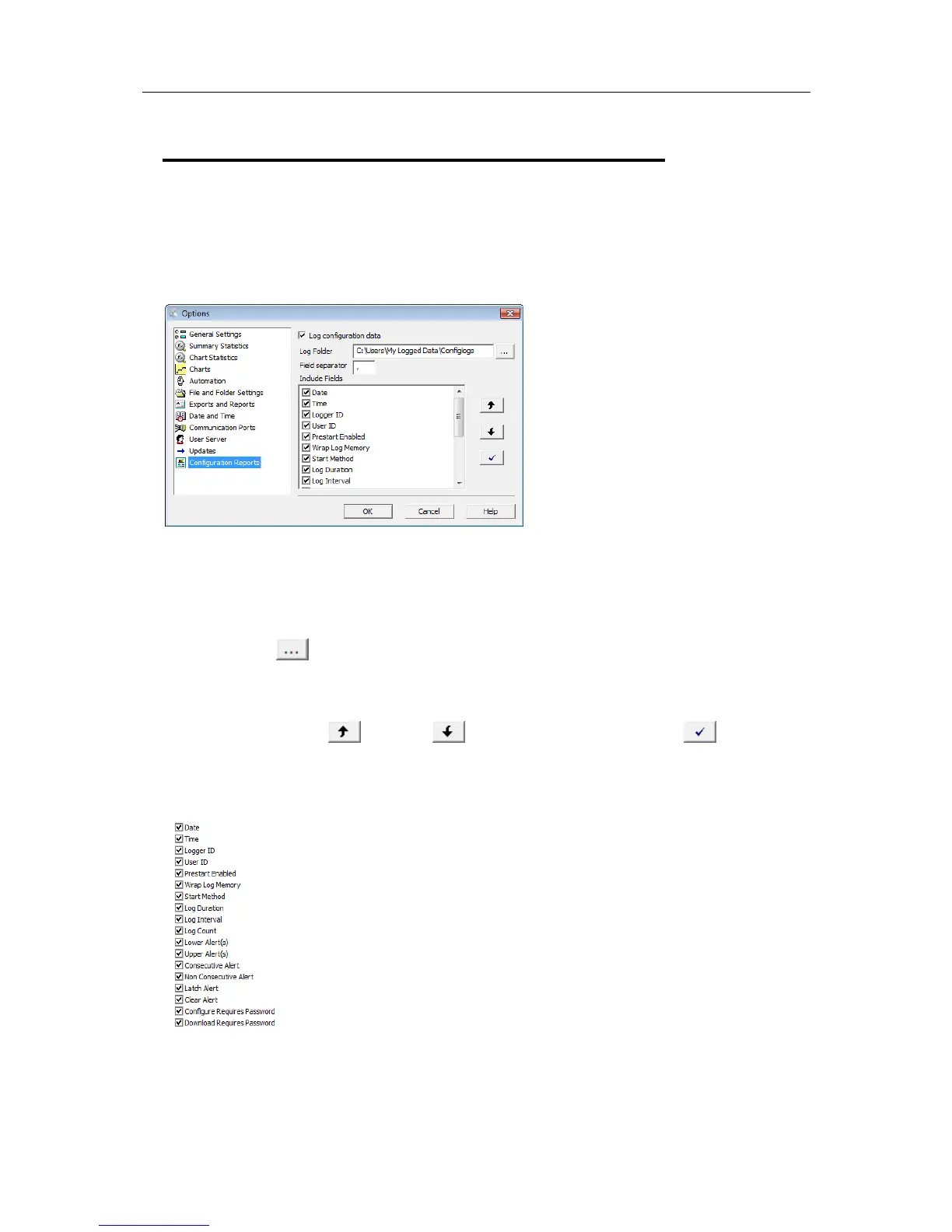
a text file. These settings are made in the Configuration Reports window.
When the "Log configuration data" option is ticked, the selected parameters are written
into a text file, which is named "LogTag Analyzer_config_log_WW-YYYY", where WW is
the current week number and YYYY is the current year. Each week a new file will be
generated.
Clicking on the
button will allow you to select a folder of your choice where the log
files will be stored. For each logger configured a new line is started in the text file,
individual entries in each line are separated by the character specified in the "Field
separator" box. You can change the order of the entries in each line by selecting a Field
and clicking on the up
or down buttons. Clicking the tick box enables all
parameters to be included in the log file.
Following parameters can be selected:



 To Next Page