156 LogTag Analyzer User Guide (2.0)
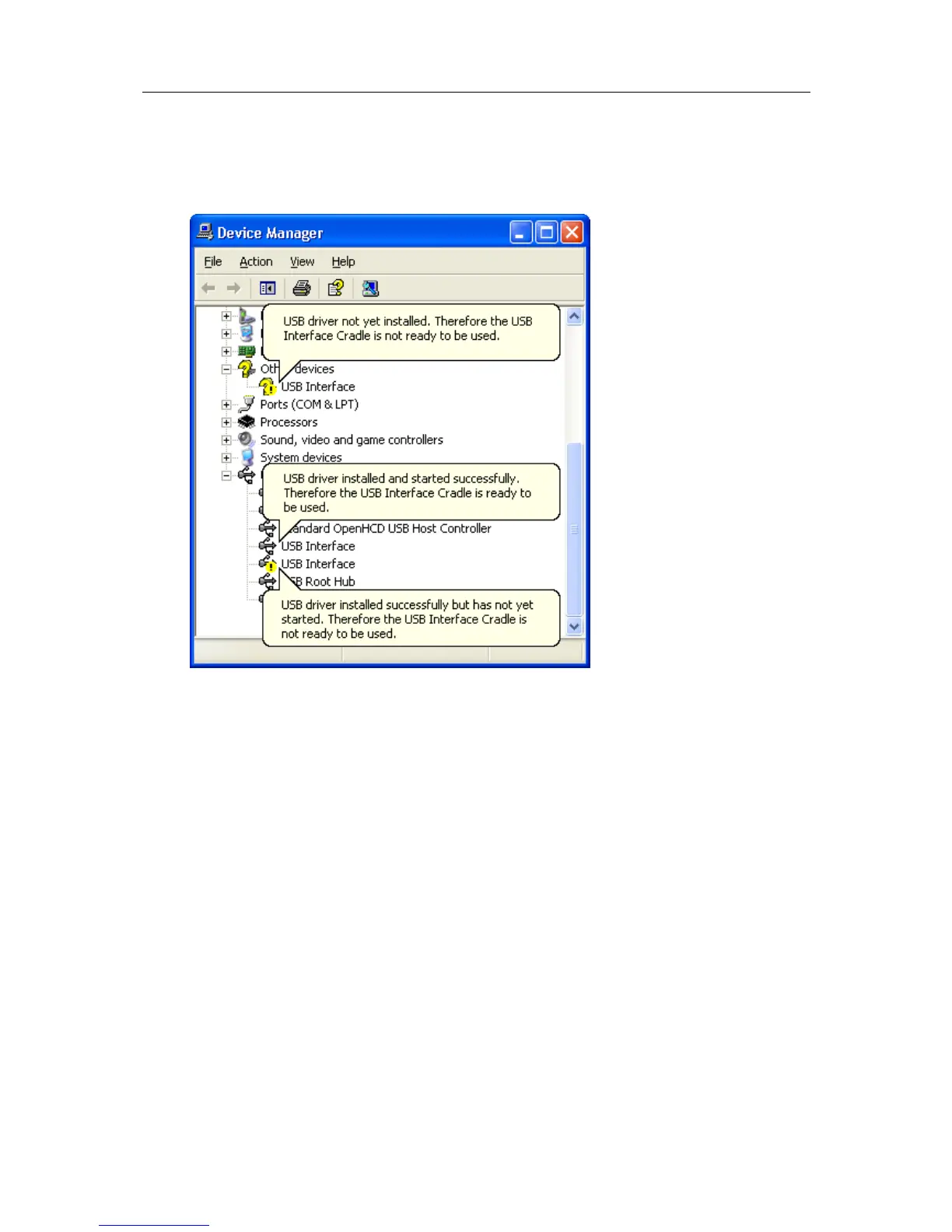
8 Once the device manager is open you should see one of the three following images in
the list, as indicated in the following picture. You may need to click on the "+" beside
the "Universal Serial Bus controllers" entry to view all the USB devices that have been
installed on the computer.
If the USB device driver installed successfully but has not yet started, the following will
guide you through steps necessary to start the USB drivers so that you can start using the
USB Interface Cradle(s).
If the computer is using Windows XP or Windows 2000:
1 Open the "Device Manager" as described previously.



 To Next Page