164 LogTag Analyzer User Guide (2.0)
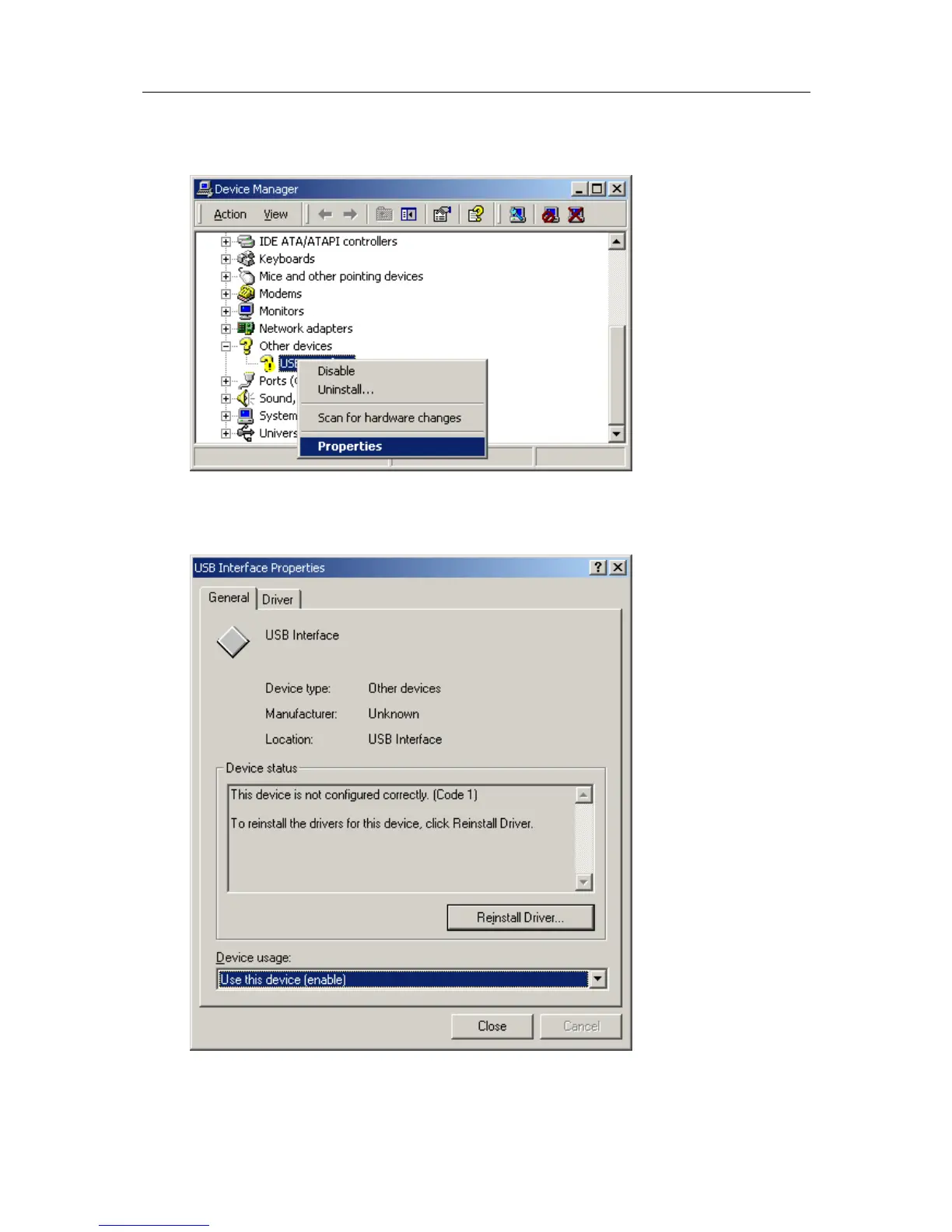
1 Using the mouse (pointing device), click the right button to display the popup context
menu, which will be similar to the following picture.
2 Select the "Properties..." option, using the left button on the mouse.
3 From the "USB Interface Properties" window that will appear, similar to the following
picture, click the "Reinstall Driver..." button.



 To Next Page