Page 17 of 35
5. THE CONTROL SYSTEM – RUNNING A CYCLE
5.1 Starting the cycle
After the load has been placed in the chamber, the batch code entered (if required), and the
door closed, the autoclave is ready to start a cycle. By touching the START button on the
standby Process Screen (see section 4.2 above), a sequence of screens is activated to prepare
the autoclave to start a cycle. The operator is first asked to nominate the type of cycle which is
to be run. Some cycles may be set up to require a password to be entered. At the end of the
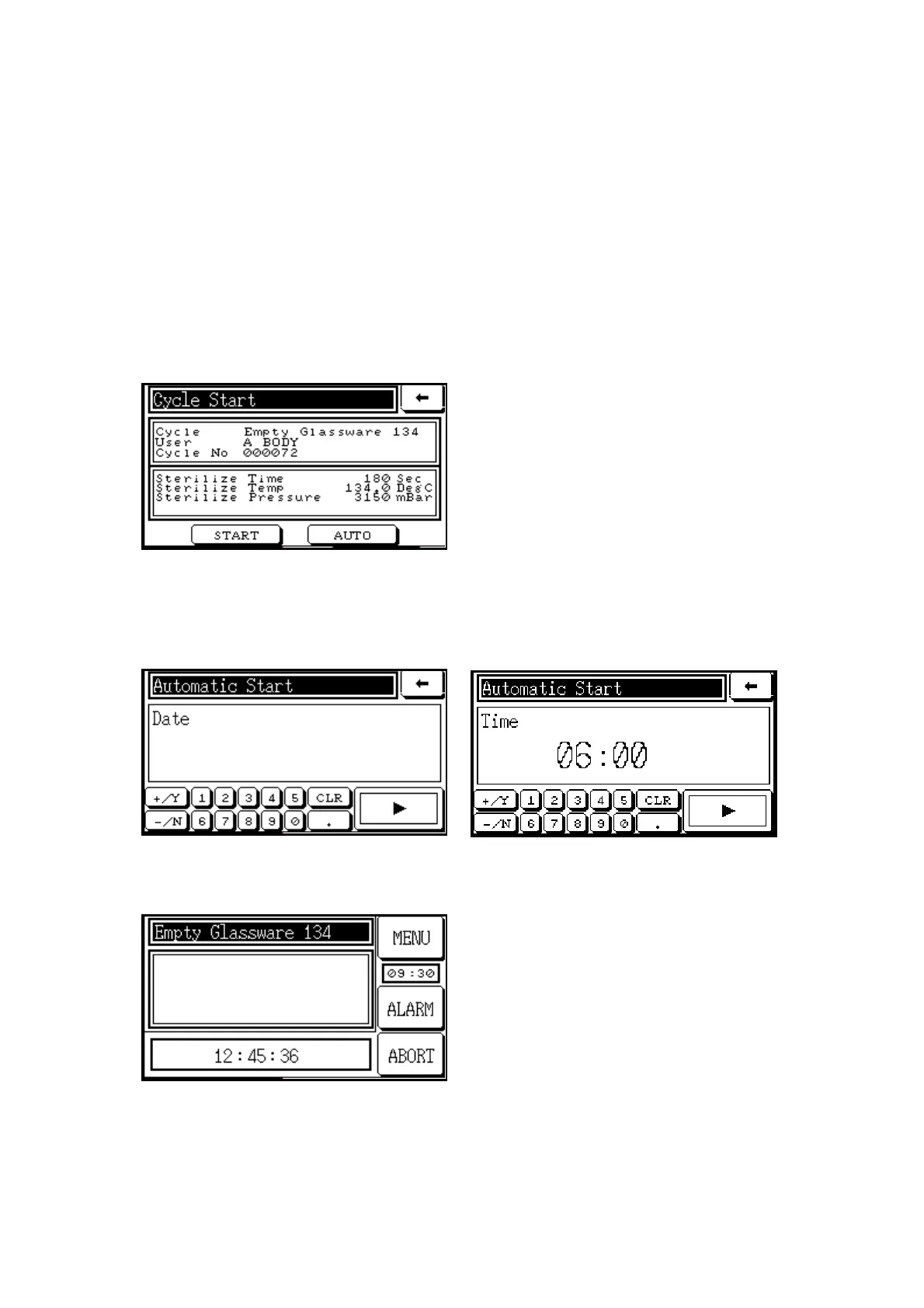
sequence, a Cycle Start screen similar to the one below appears, allowing the operator to
choose between an immediate start by touching the START button, or a delayed automatic
start by touching the AUTO button.
By selecting ‘automatic start’, the cycle can
be started at a later time. This may be useful
to enable the autoclave to be warmed up
before a sterilization cycle starts, or to allow
a sterilization cycle to be run overnight and
cooled down before unloading in the
morning.
After touching the AUTO button on the Cycle Start screen, the screens below will appear
sequentially, allowing the operator to enter the date and time of the start using the onscreen
keypad.
When the date and time have been entered, a Process Screen will appear such as the one
below.
Vent 019.6 DegC
Load 023.2 DegC
The display shows the countdown time to
the cycle start. The cycle will start
automatically at the set time, provided that
no alarms have been triggered. If there is a
need to stop the automatic cycle before the
cycle starts, the ABORT button may be
touched (subject to a supervisor’s password
being entered).



 To Next Page