Page 31 of 35
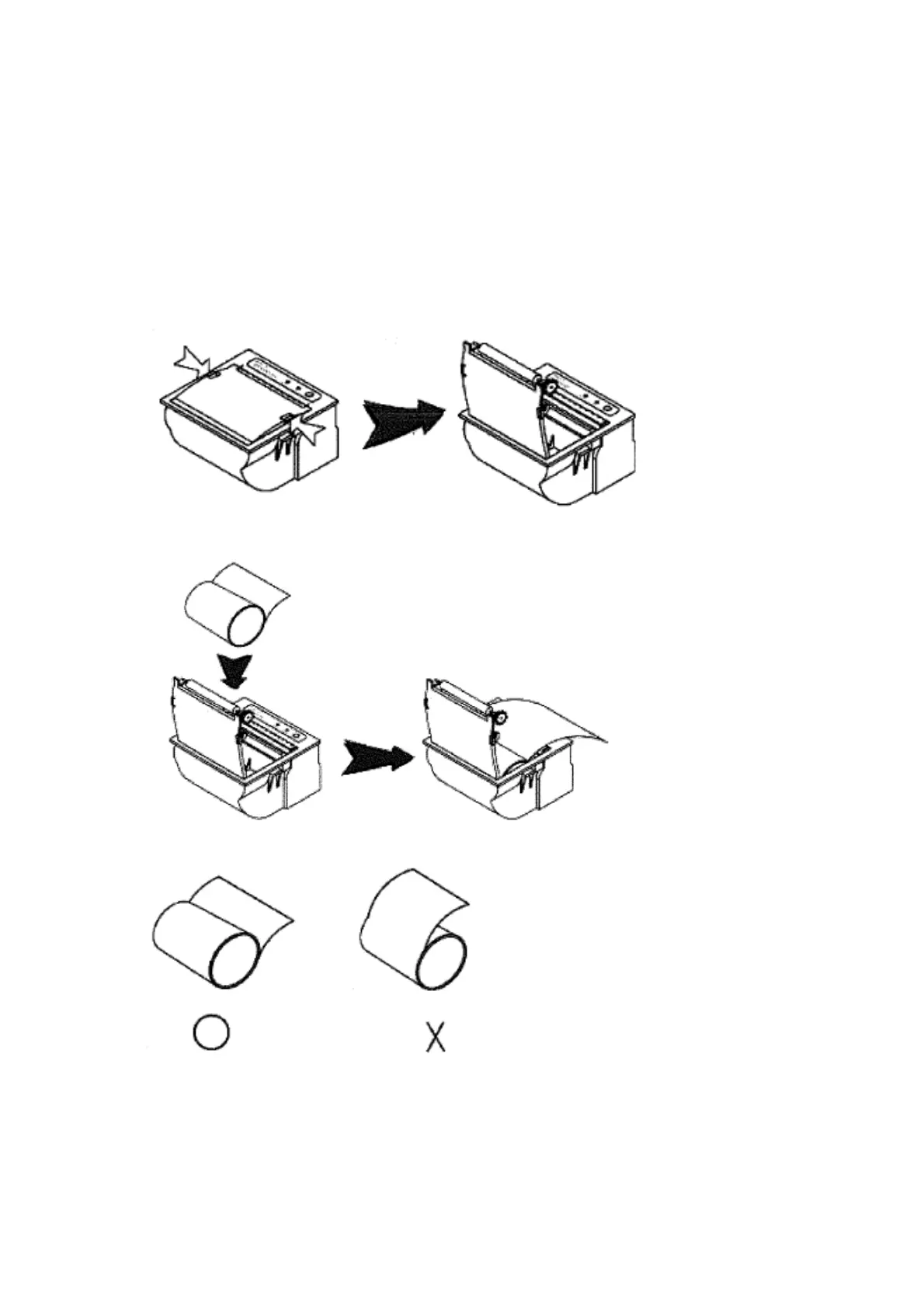
7.4 Printers – instructions for paper installation
Porti P40 Printer
Note: It is important to use paper rolls that meet the specifications. Do not use paper rolls
that have the paper glued to the core because the printer cannot detect the paper end
correctly.
1. Make sure that the printer is not receiving data; otherwise data may be lost.
2. Open the paper roll cover by applying your fingers on both sides of the printer, push
up when the lock is released as shown in the drawing below.
3. Remove the used paper roll core if there is one.
4. Insert the paper roll as shown below.
5. Be sure to note the correct direction that the paper comes off the roll.



 To Next Page