Page 18 of 35
5.2 Cycle in progress
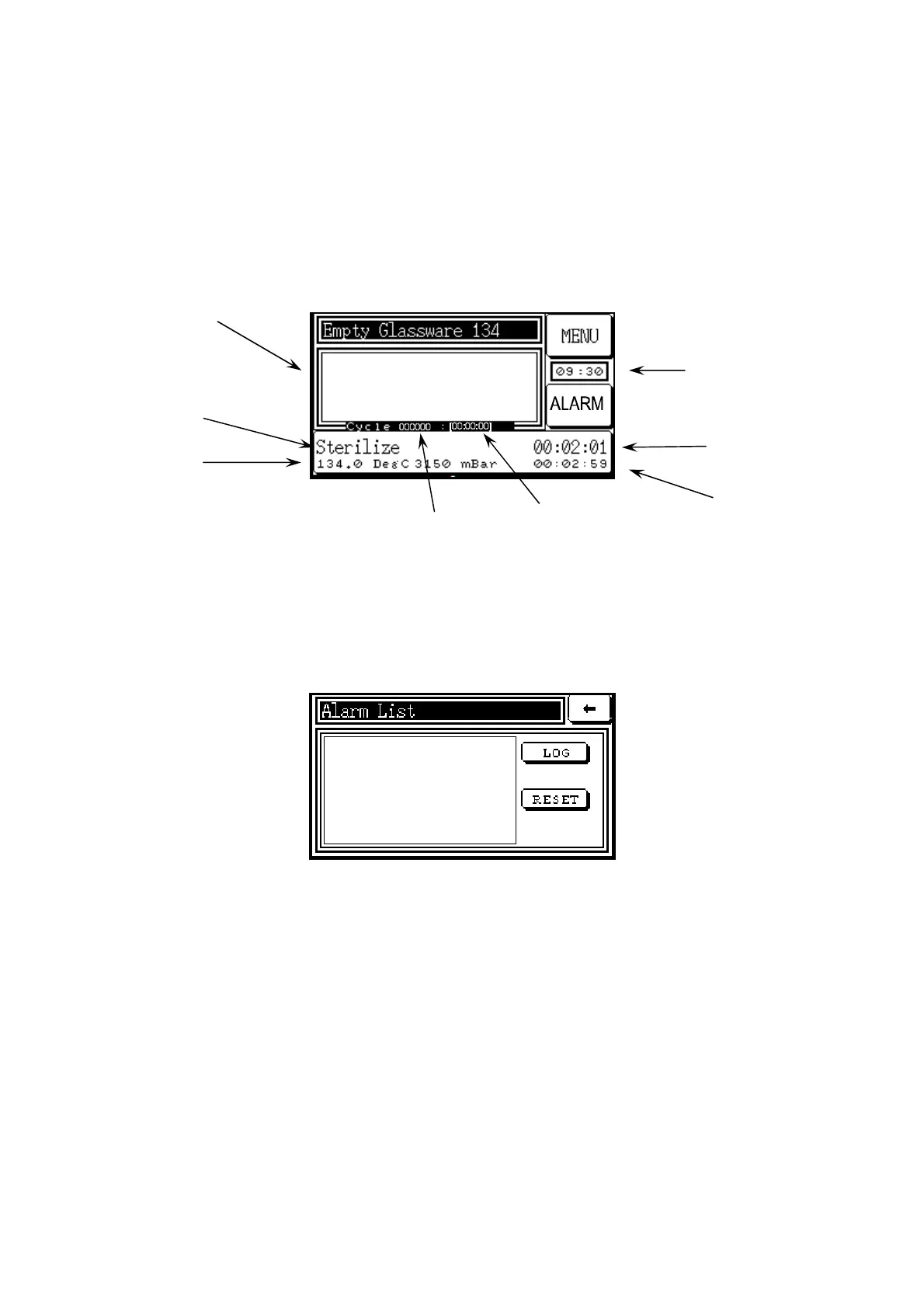
During the cycle, a Process Screen will appear at each stage of the cycle, as in the example
below.
Vent 019.6 DegC
Load 023.2 DegC
5.3 Faults
If a fault occurs, an alarm condition is triggered and a fail message will appear on the screen.
To find a description of the problem and to clear the fault, touch the ALARM button. A menu
will then be displayed, as on the screen below, indicating the nature of the fault on the list.
If an alarm condition occurs during a cycle, the system assumes that the integrity of the cycle
has been compromised, and it begins a pre-determined fault sequence of stages in order to
abort the cycle in the safest possible way. All cycles during which an alarm condition has
occurred are marked as ‘failed cycles’.
The LOG button is used to record all the faults which have occurred since the autoclave has
been switched on. This record is deleted when the autoclave is switched off.
When the problem has been resolved, the RESET button will clear the fault from the list.
Resetting can only be done outside the operating cycle, and is normally done by a supervisor
whose password has been entered.
Temperatures (
C)
Pressure (mBar)
Stage Name
Stage Targets
Elapsed
stage time
Cycle Time
Stage time
remaining
Cycle
Number



 To Next Page