Connect an ISDN BRI Line
2-10 Communications Server Hardware Installation Guide
6. Connect an ISDN BRI Line
Follow these instructions to connect an ISDN BRI line to the PM-2i, PM-2E, PM-2Ei and
PM-2ER if you have already ordered the service from the telephone company.
Required Equipment for the BRI S/T Interface
❏ One 8-pin category 5 twisted pair cable with RJ-45 connectors for each ISDN BRI
port. (See “Category 5 Twisted Pair Cable for the S/T Interface” on page B-14 for
pinout information.) Five of these cables are included.
❏ One NT1 device for each ISDN BRI S/T interface (if not supplied by the telephone
company). NT1 devices are available from most computer equipment suppliers.
Required Equipment for the BRI U Interface
❏ One category 5 twisted pair cable with RJ-45 connectors for each ISDN BRI port.
(See “Category 5 Twisted Pair Cable for the U Interface” on page B-14 for pinout
information.) Five of these cables are included.
❏ One 20-foot high-density cable with an RJ-45 connector and 10 loose wires for
connecting to a punchdown block via the high-density (HD) 10-pin RJ-45 port. This
port supports all five ISDN BRI ports on 10 wires (See “High-Density 10-Pin Cable
for the U Interface” on page B-15 for pinout information.) One of these cables is
included.
Caution – Do not use the 10-pin RJ-45 cable in an 8-pin RJ-45 port. Incorrect cable
insertion can damage the PortMaster.
Procedure
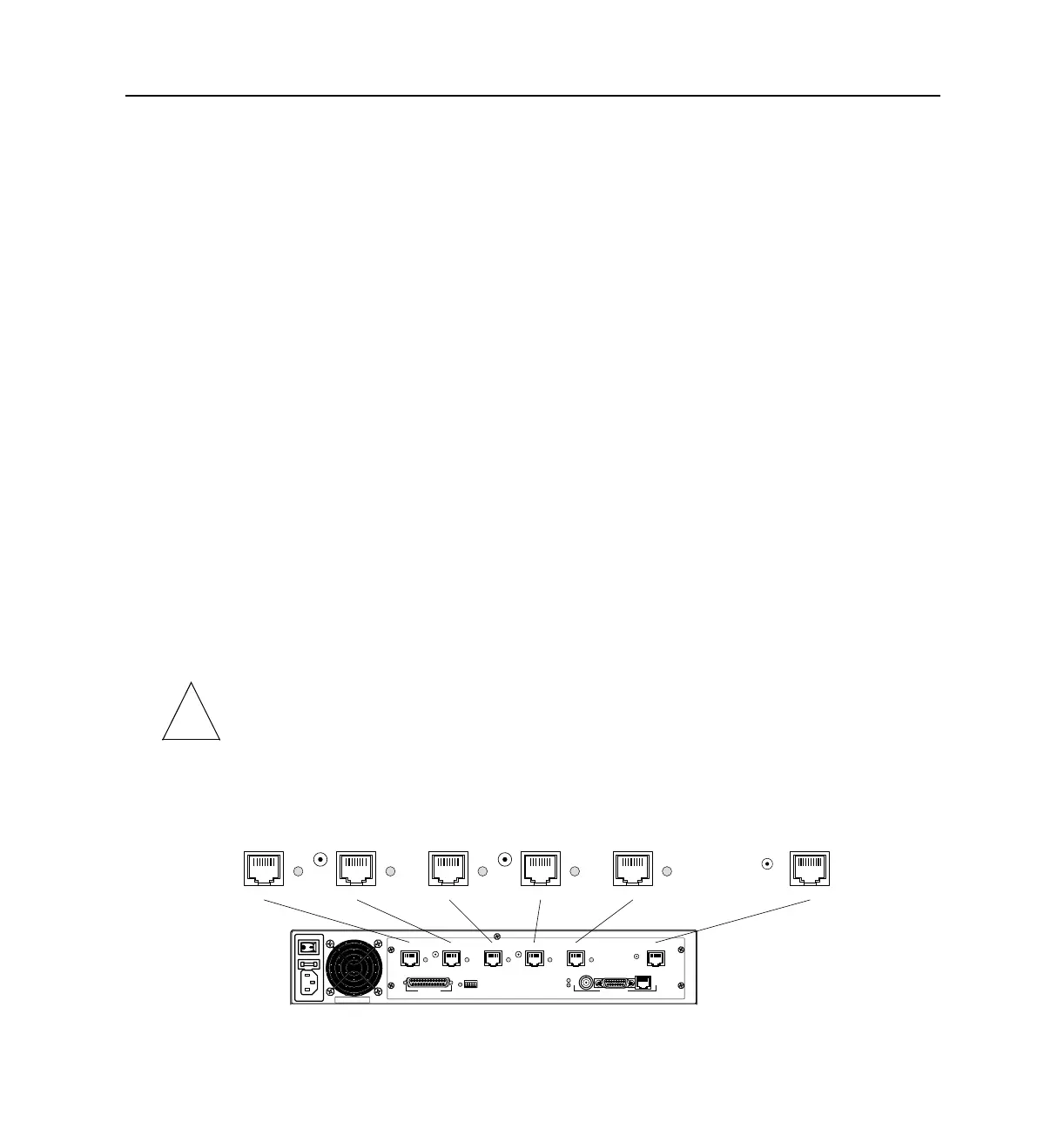
1. Connect ISDN BRI lines to ISDN BRI ports (PM-2i shown).
!
ETHERNET
ISDN/U ISDN/U ISDN/U ISDN/U ISDN/U ISDN/U
S0-S1 S2-S3 S4-S5 S6-S7 S8-S9 HD
C0 - DIAG
ISDN/U ISDN/U ISDN/U ISDN/U ISDN/U ISDN/U
S0-S1 S2-S3 S4-S5 S6-S7 S8-S9 HD
1189-0001



 To Next Page