64
To erase all steps from the entire Sequence:
1. Enter Sequence Mode by pressing the Sequence Mode (Seq) button.
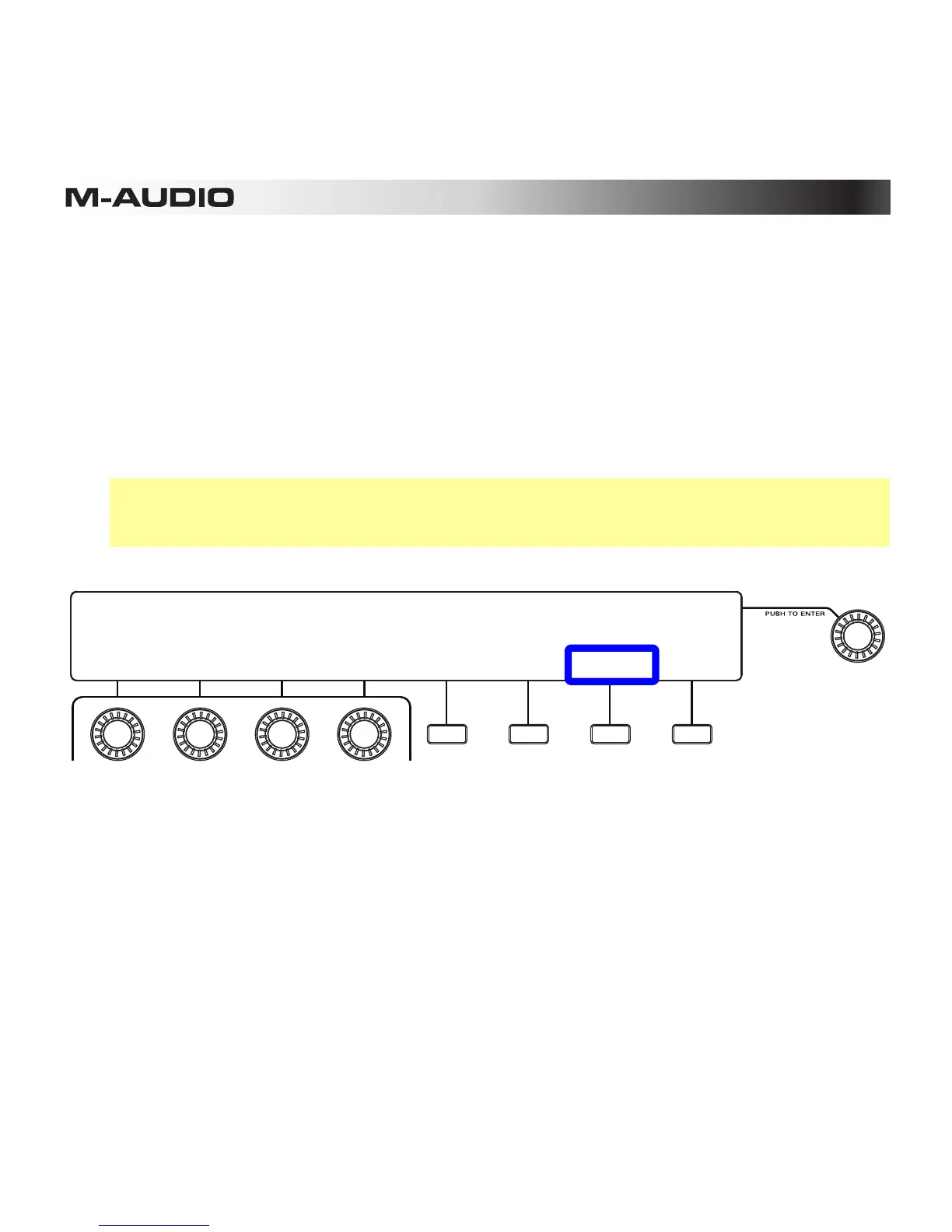
2. Check above the third Function Button (Page) to make sure you are viewing Page 2. If
you are on Page 1, press the button to move to Page 2.
3. To erase all steps for all pads in the Sequence, press the second Function Button (Clear
All). Be careful—this cannot be undone!
4. Make other changes, or exit Sequence Mode by pressing the Sequence Mode (Seq)
button or fourth Function Button (Exit) twice.
Tip: You can perform the same function while editing step velocities by pressing the third
Function Button (Clr All) on that page. See the following Velocities section to learn
more.
1: 2: 3: 4:
127 00 00 00
BANK:A PAD:A01 BAR:Auto VEL:127 CLR PAD CLR ALL EXIT TIE
5: 6: 7: 8:
00 00 00 00
9: 10: 11: 12:
127 00 00 00
13: 14: 15: 16:
00 00 00 00













 To Next Page