215505 20 Revision A
$
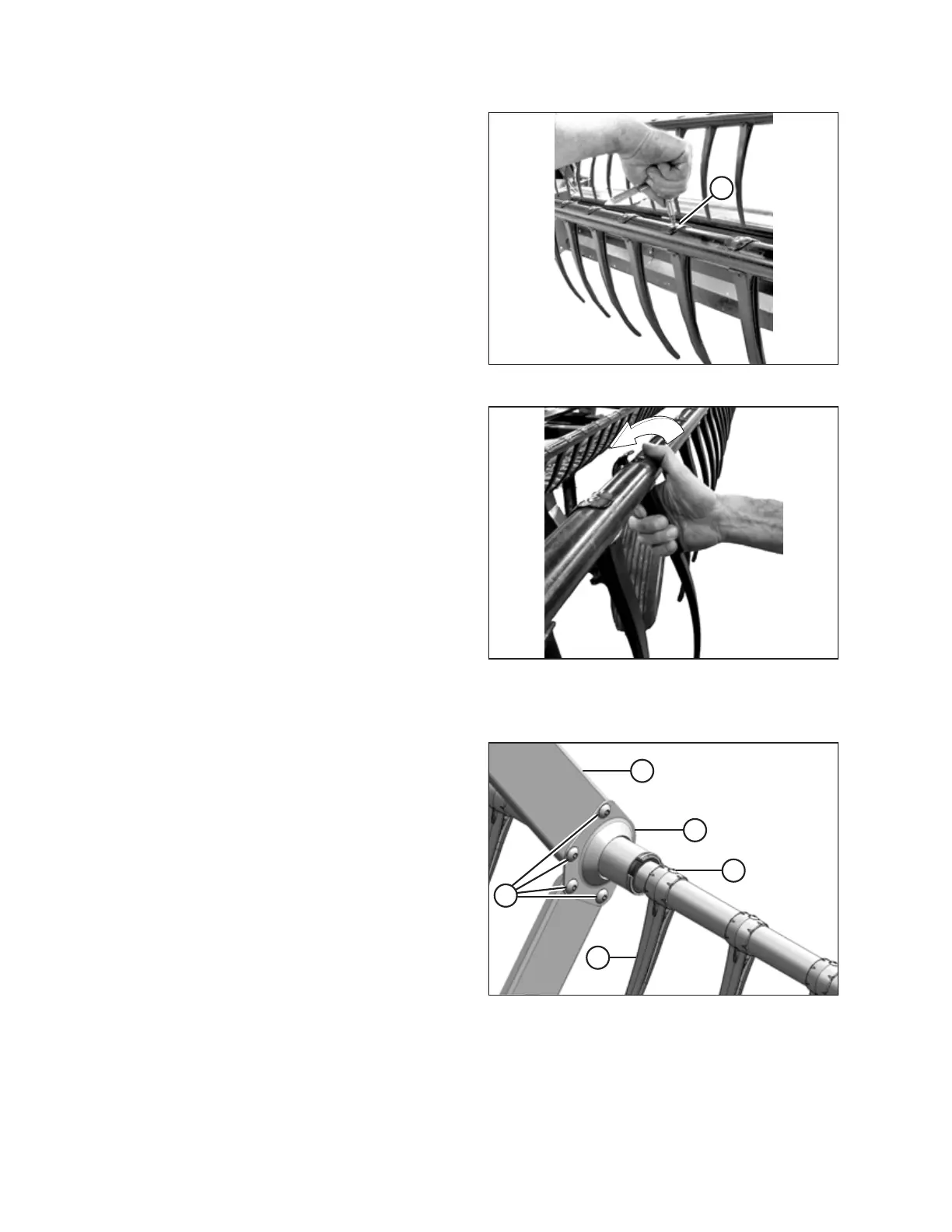
Figure 4.14: Removing Plastic Finger
Plastic Finger
22. Remove screw (A) using a Torx
®
Plus 27 IP socket wrench.
Figure 4.15: Removing Plastic Finger
Plastic Finger
23. Push the clip at the top of the finger back towards the reel
tube as shown and remove the finger from the tube.
Tine tube reinforcing kit bushings (option)
$
&
'
(
%
Figure 4.16: Tine Tube Support
24. Locate support (A) that requires a new bushing.
25. Remove four bolts (B) securing channel (C) to support (A).
26. Remove screw (E) and remove finger (D) if it is too close to
the support to allow access to the bushing. Refer to the
following steps as necessary for removing steel or plastic
fingers:
REMOVING EXISTING FINGERS AND BUSHINGS









 To Next Page