CAB DISPLAY MODULE (CDM)
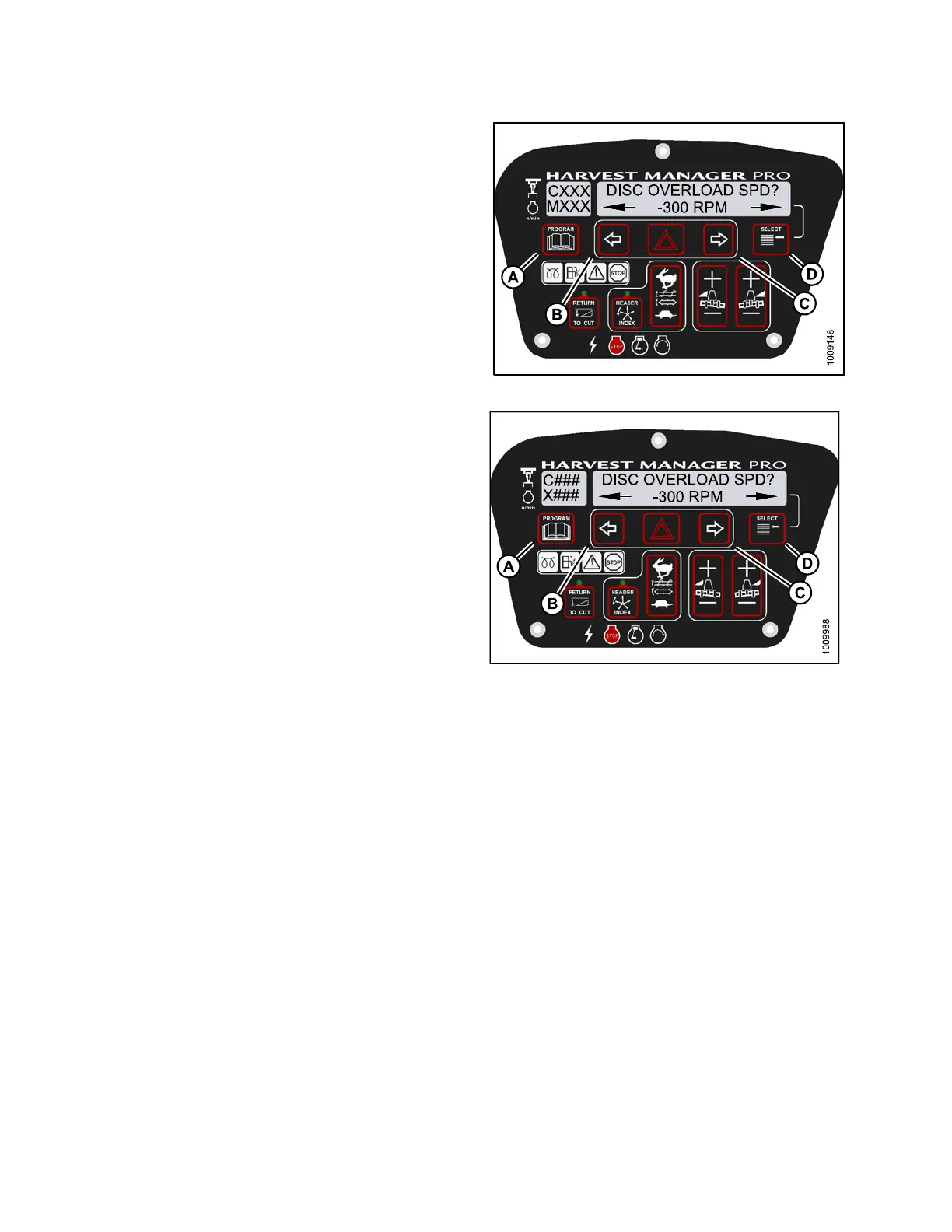
4. Press SELECT (D) until DISK OVERLOA D S PD? is
displayed on the upper line.
• The current overload speed is displayed on the
lower line .
NOTE:
Default setting is -300 rpm. Range is -500 to
-100 rpm.
5. Press left (B) or right (C ) arrows to set disc overload
speed. Press SELECT (D).
6. Press PROGRAM (A) to exit Programming Mode or
press SELECT (D) to p roceed to next WINDROWER
SETUP action.
Figure 4.9
4: M155 Disc Overload Speed
Figure 4.95: M205 Disc Overload Speed
4.4.8 Setting the Hydraulic Overload Pressure
NOTE
:
•This
procedure requires installation of the optional pressure sensor (MD #B5574). For overload pressure values,
refe
r to pressure sensor installation instructions (MD #169031).
•Toe
nable sensor, refer to 4.7.2 Switching the Installed Header Sensors ON or OFF, page 256.
147962 194 Revision A



 To Next Page