CAB DISPLAY MODULE (CDM)
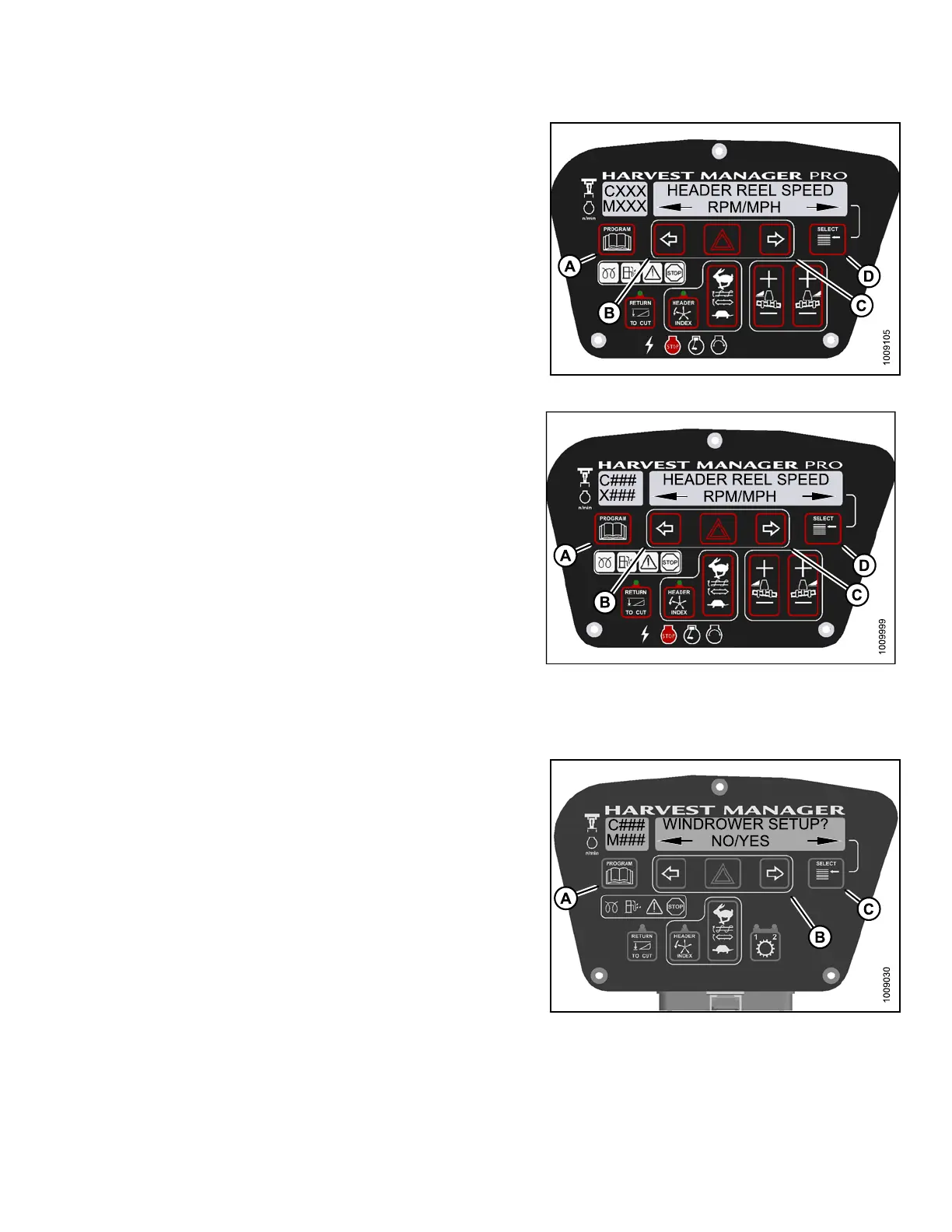
4. Press SELECT (D) until H EADE R RE EL SPEED? is
displayed on the upper line.
• RPM/MPH or RPM/KPH is displayed on the
lower lin e.
5. Press left (B) or right (C) arrow to select either Imperial
or Metric units. Press SELECT (D).
6. Press PROGRAM (A) to ex it Programming Mode or
press SELECT (D) to proceed to next WINDROWER
SETUP action.
Figure 4.1
36: M155 Reel Speed D isplay
Figure 4.137: M205 Reel Speed Display
4.4.16 Displaying the Speed of the Auger Header Reel
1. Turn
ignition key to RUN, or start the engine.
2. Pres
s PROGRAM (A) and SELECT (C) on cab display
modu
le (CDM) to enter Programming Mode.
•WIND
ROWER SETUP? is displayed on the
upp
er line.
•NO/
YES is displayed on the lowe r line .
3. Pre
ss right (B) arrow toselect YES. Press SELECT (C).
•SEL
ECT HEADER TYPE? is displayed on the
up
per line.
Figure 4.138: CDM Programming Buttons
147962 213 Revision A



 To Next Page