CAB DISPLAY MODULE (CDM)
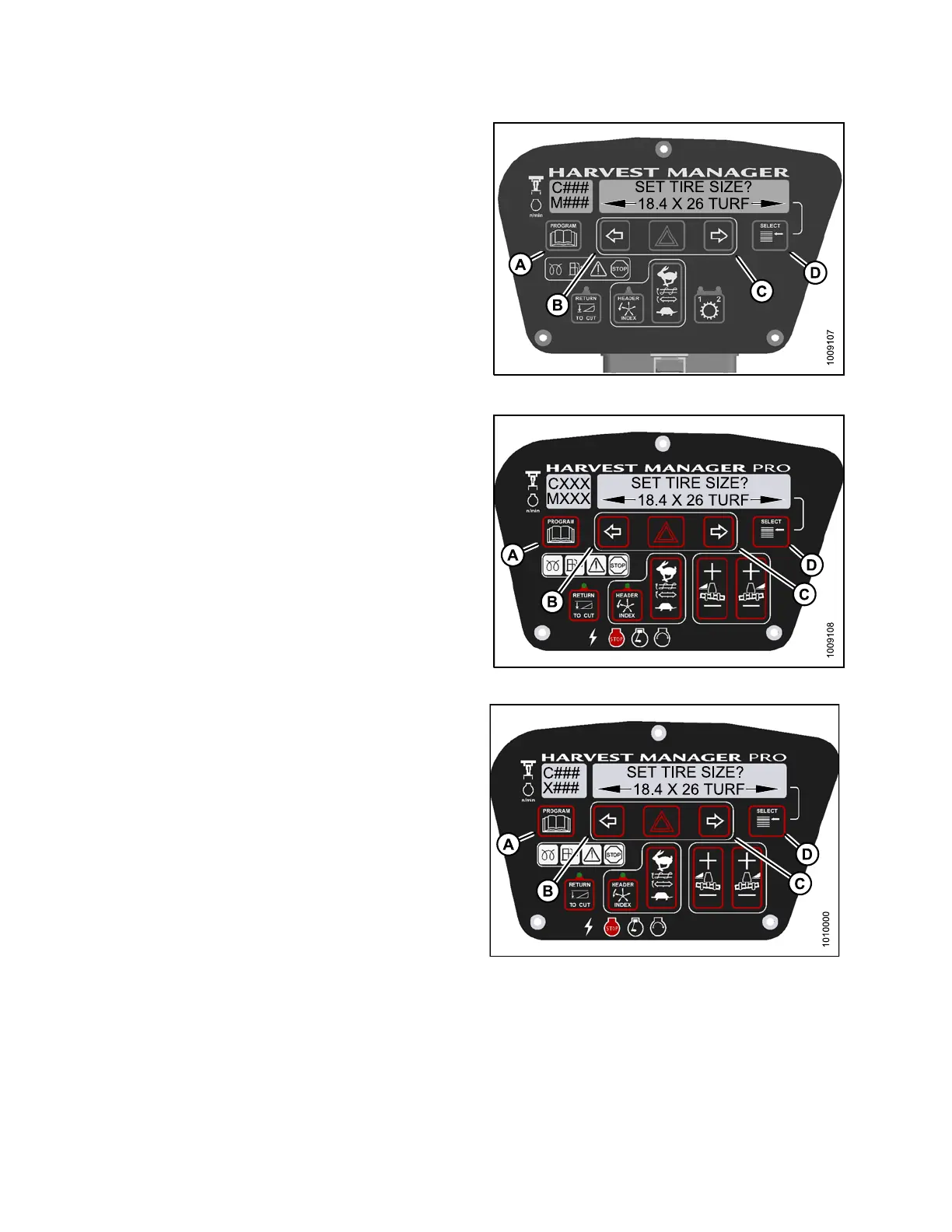
4. Press S E LECT (D) until SET TIRE SIZE? is displayed
on the upper line.
• Currently installed tire size is displayed on th e
lower line .
NOTE:
The following tire sizes are available:
•18.4x26TURF
• 18.4 x 26 BAR
•23.1x26TUR
F
• 600 – 65 R28
5. Press left
(B)orright(C)arrowandselecttiresize.
Press SE LE
CT (D).
6. Press PROG
RAM (A) to exit Programming Mode or
press SEL
ECT (D) to proc ee d t o n ext WINDROW ER
SETUP act
ion.
Figure 4.1
43: M105 Tire Size
Figure
4.144: M155 Tire Size
Figure 4.145: M205 Tire Size
147962 216 Revision A



 To Next Page