CAB DISPLAY MODULE (CDM)
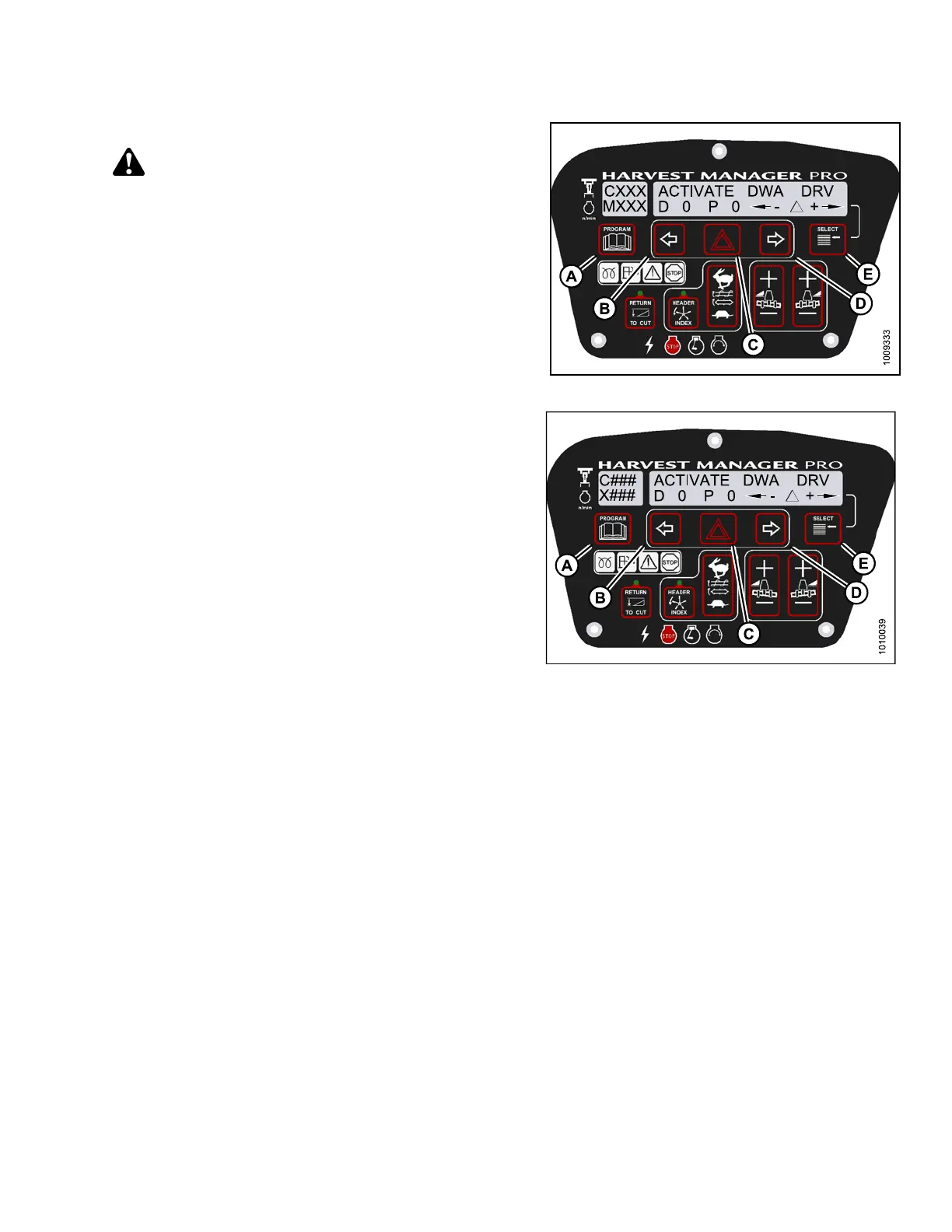
7. Press SELECT (E) until ACTIVATE DWA DRV is
displayed on the upper line.
CAUTION
Check to be sure all bystanders have cleared the area.
IMPORTAN T:
Do NOT over-speed the DWA drive.
8. Press and hold HAZARD (C) button.
• Press left (B) arrow to decrease DWA drive speed.
• Press right (D) arrow to increase DWA drive speed.
Verify the DWA drive is functioning properly.
9. Release the HAZ A RD (C) button. The DWA drive
will stop.
10. Press PROGRAM (A) to exit Programming
Mode or press SELECT (E) to proceed to next
ACTIVATE F UNCTION.
Figure 4.3
80: M155 DWA Drive
Figure 4.381: M205 DWA Drive
147962 317 Revision A



 To Next Page