UNLOADING AND ASSEMBLY
Form # 169080 Issue – April 2007
STEP 13. ATTACH TRACTOR
A. DRAWBAR EXTENSION
a. Secure the drawbar so the hitch-pin hole is
directly below the driveline.
b. Unpack hitch parts bundle.
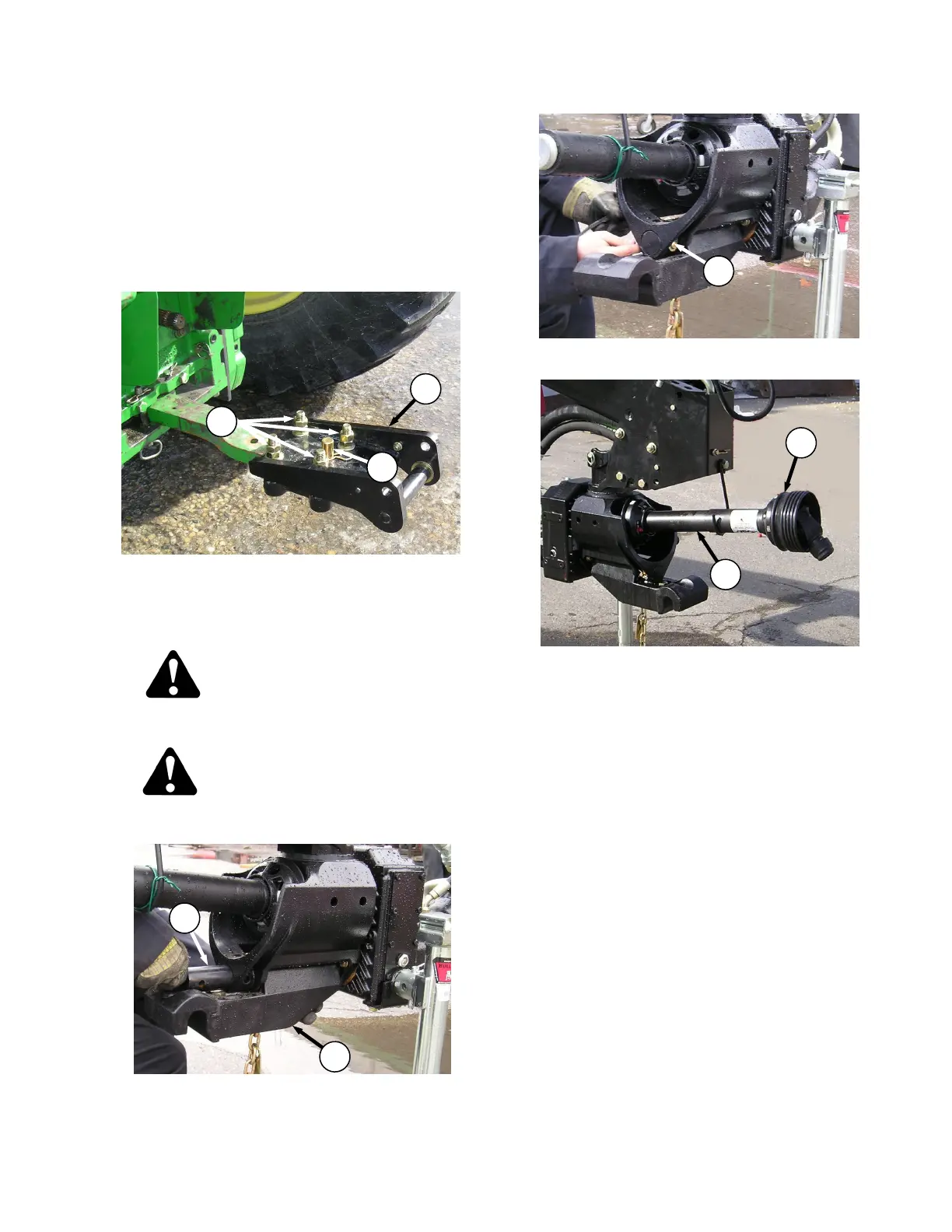
c. Attach the drawbar extension (A) to the tractor
drawbar as follows and as shown:
1. Loosen bolts (B) on extension assembly
and slide onto drawbar. Install pin (C).
2. Tighten the four bolts to 265 ft-lb (359
N∙m).
CAUTION
Shut off tractor, engage parking brake and
remove key before working around hitch.
CAUTION
Never attach windrower to tractor rear axle
or three-point hitch arms.
d. Attach the swivel hitch member (D) with pin (E)
onto the windrower hitch.
e. Secure swivel pin with pin (F) and lynch pin.
f. Assemble PTO driveline male half (G) onto
PTO shaft (H) on hitch. Push male half so that
PTO shaft is at its fully compressed length.



 To Next Page