UNLOADING AND ASSEMBLY
Form # 169080 Issue – April 2007
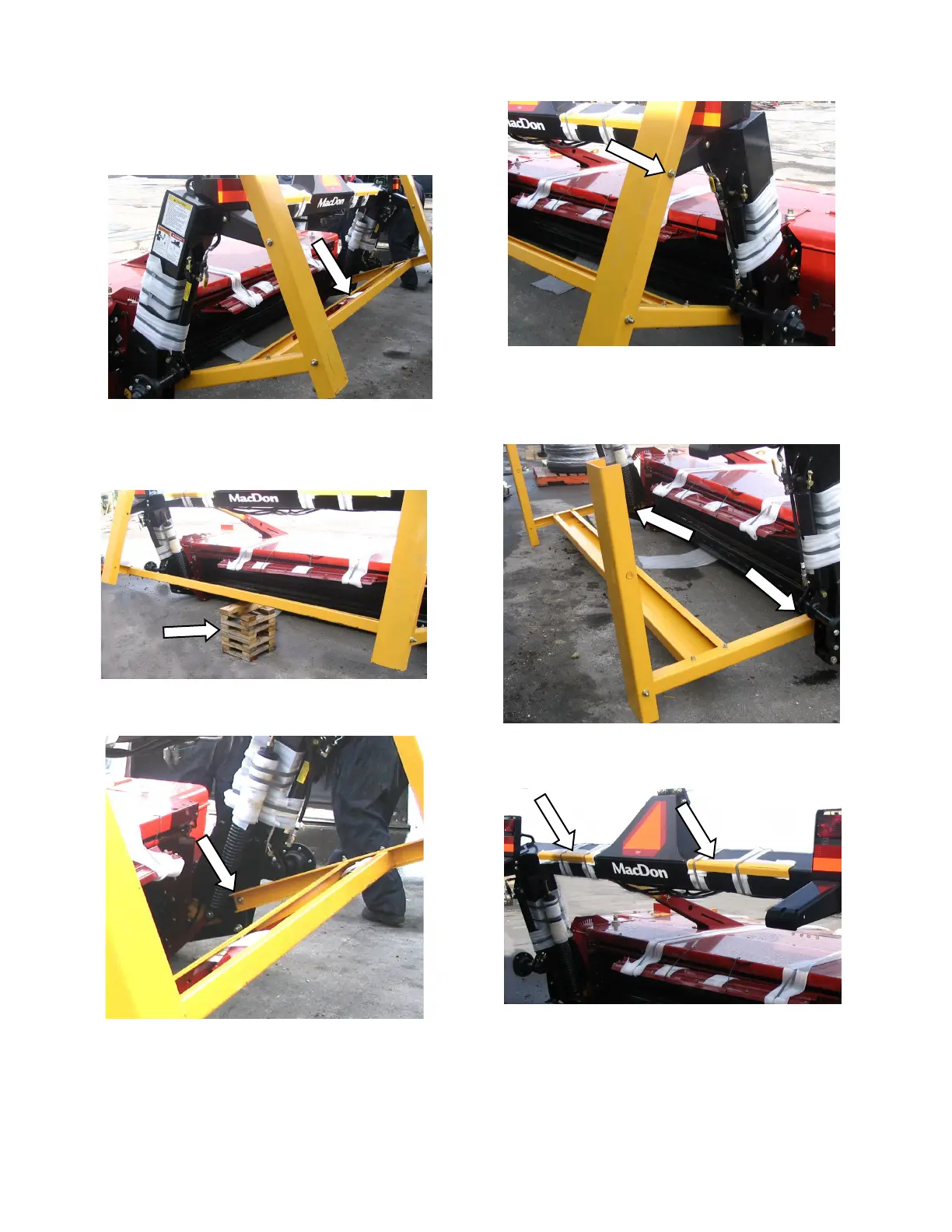
STEP 4. REMOVE SHIPPING
CHANNELS AND BLOCKING
a. Cut the banding on the shipping beam at the
rear of carrier frame and remove components
from inside the shipping beam. Set these
components aside for a later assembly step
b. Place blocks under the shipping beam at the
rear of the carrier frame.
c. Loosen the shipping stand bolt at the lower
end of each carrier frame leg.
d. Remove the bolt that secure shipping stand at
each float spring anchor.
e. Remove the support blocks and lower the
shipping stand to the ground.
f. Remove bolts at carrier frame legs and remove
shipping stand frame.
g. Cut banding that secures angles to carrier
frame tube and remove angles.



 To Next Page