UNLOADING AND ASSEMBLY
Form # 169080 Issue – April 2007
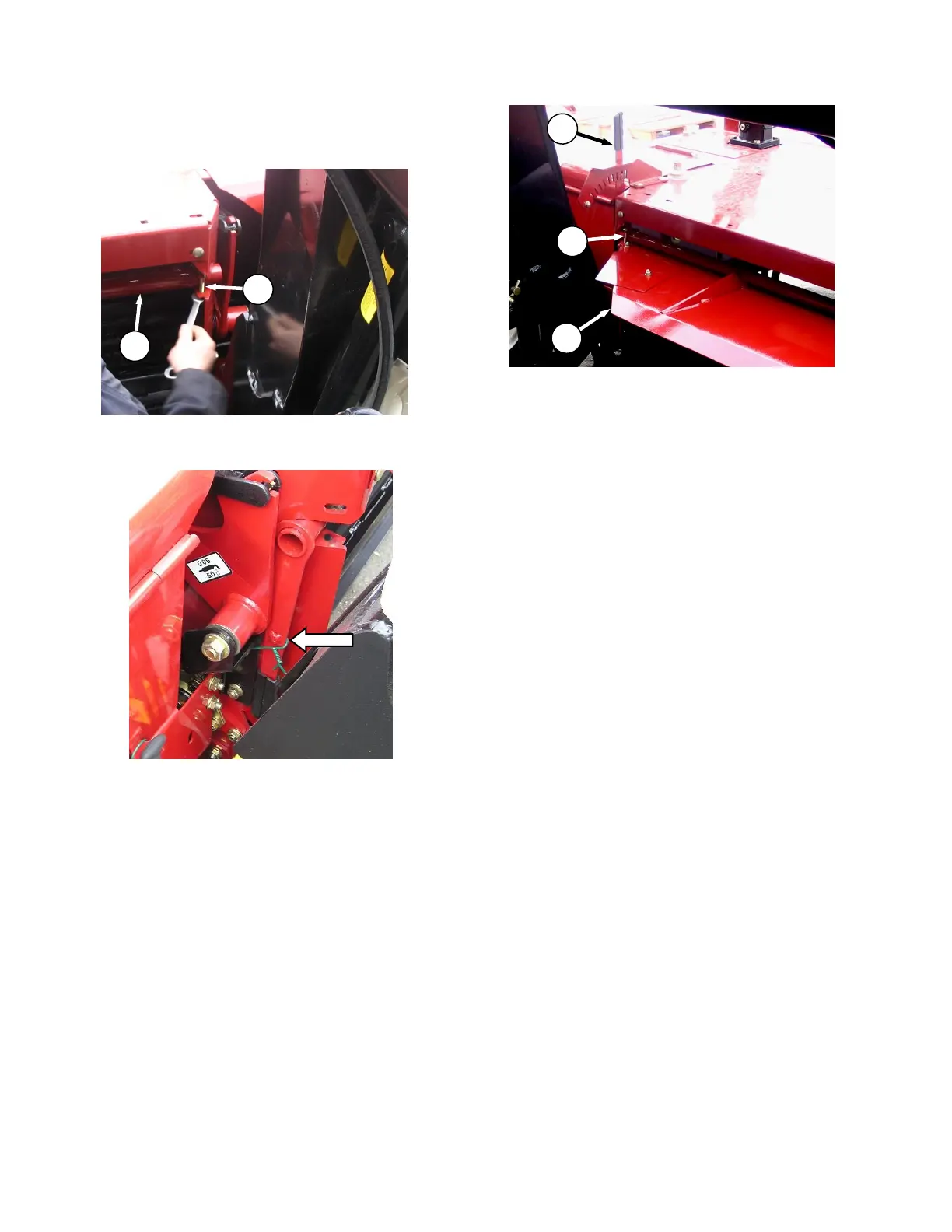
STEP 16. INSTALL CROP
DEFLECTOR
a. Remove bolt (A) on each end of crop deflector
(B).
b. Remove shipping wire securing handle to
frame and remove deflector (B) from shipping
position.
c. Re-install in same location ensuring handle (C)
is upright and engaged into adjuster slots.
d. Re-install bolts (A) and tighten.



 To Next Page