UNLOADING AND ASSEMBLY
Form # 169080 Issue – April 2007
STEP 18. INSTALL FLOAT
SPRINGS
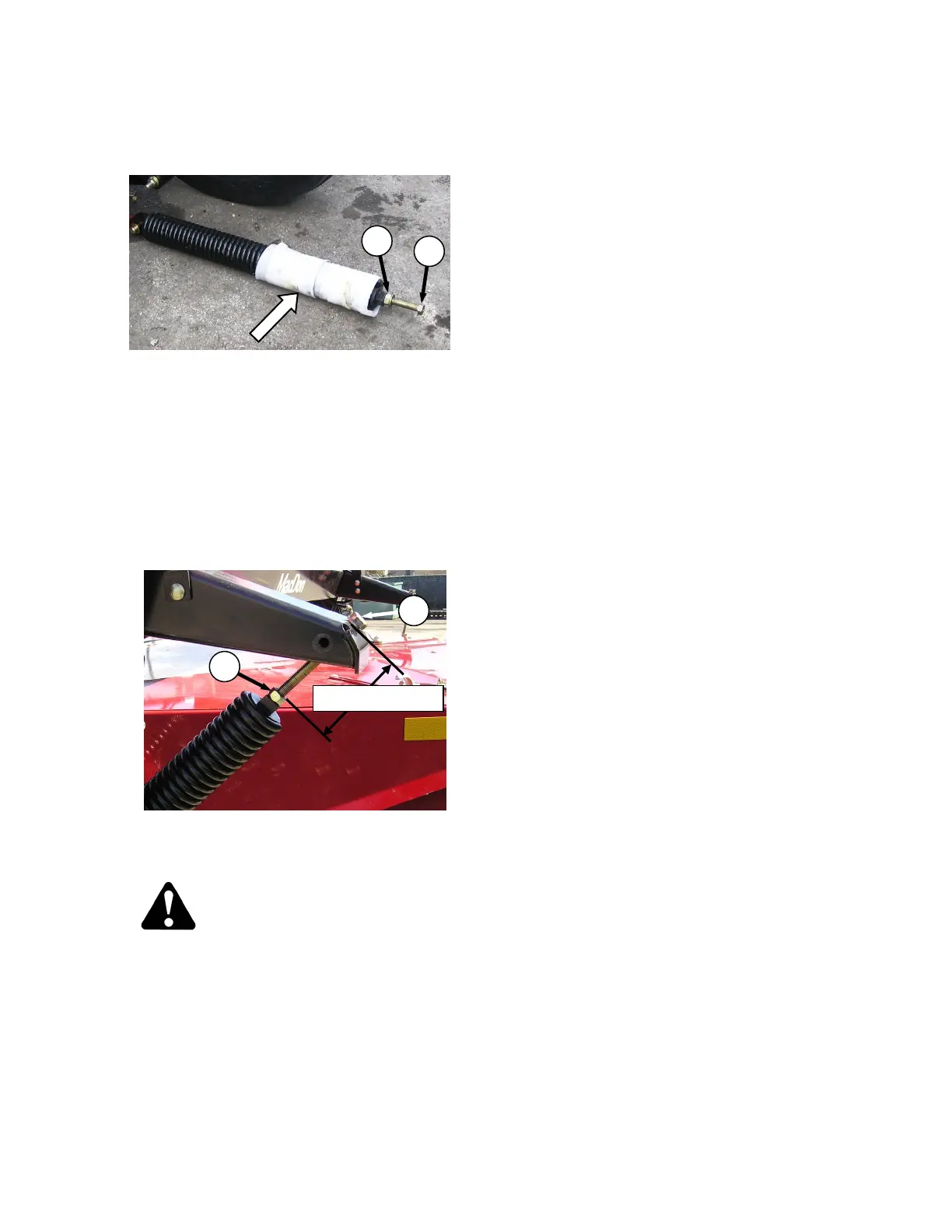
a. Remove packing material from float spring.
b. Loosen jam-nut (A) and remove drawbolt (B)
from spring.
NOTE
The spring for the LH side has an
internal spring and is heavier than the
RH spring. Ensure springs are installed
in proper location.
c. Install drawbolt through anchor on carrier
frame and reinstall into spring.
d. Tighten spring drawbolt so that distance
between spring anchor to locknut is
approximately 5 inches (130 mm).
CAUTION
To prevent damage to the float spring
system, do not lower the header before
tightening jam nuts (A) against the springs.
IMPORTANT
Because header weight transfers to
outside tire whenever header is swung
from one side to the other, tires must be
fully inflated (30 psi (207 kPa)) to
minimize effects on header float.
e. Lift either end of the header just off the ground.
Header flotation springs are normally set to
100 lbs. (444 N) force is required to lift the
header.
f. Adjust springs as required with drawbolt (B).
g. Tighten jam nuts (A) securely against float
springs.



 To Next Page