Maeving | RM1S Owner’s Handbook
32
GENERAL INFORMATION
Ignition key
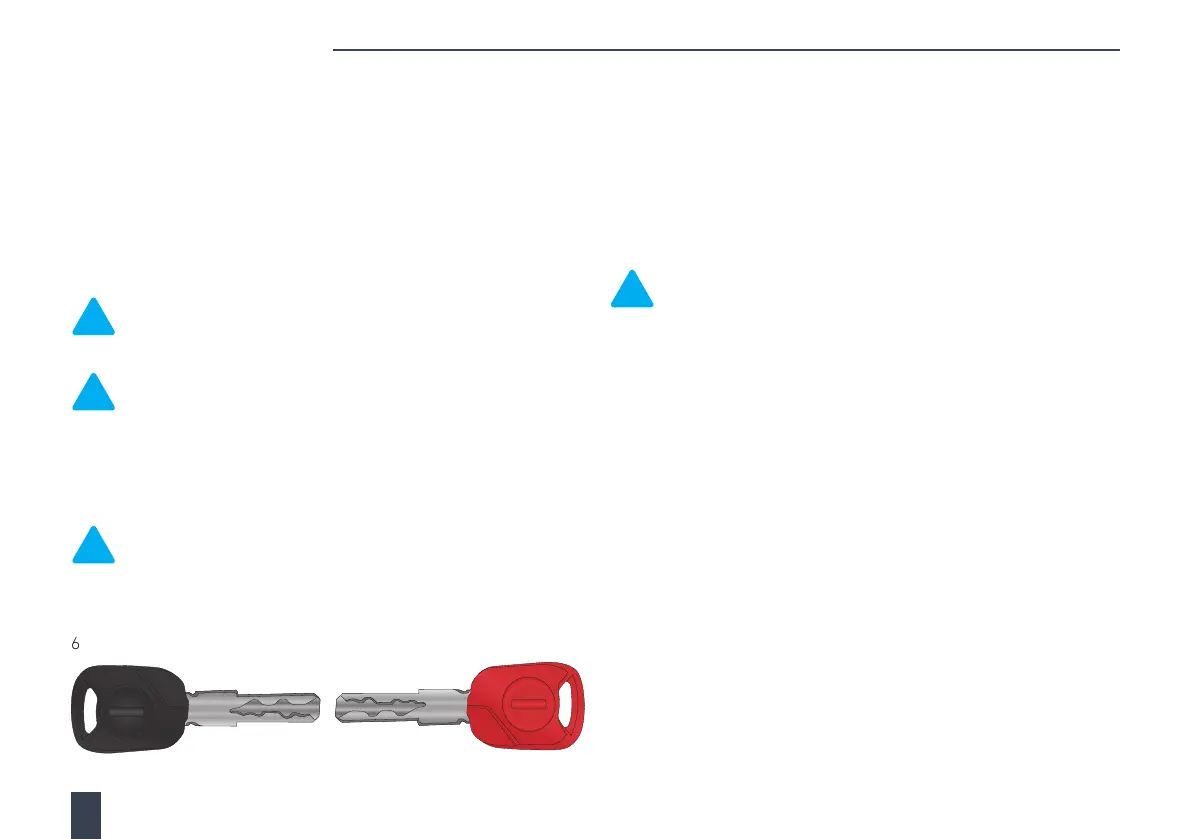
Your motorcycle comes with one ignition key (black) and a master key
(red), and they are both supplied together with a small tag containing
a unique key serial number.
Make sure to keep the serial number tag and master key (red) in a
safe place, away from your motorcycle. Make a note of your key’s
serial number in the space provided in this handbook. For further
information, see Serial number locations on page 12.
Note: Do not store the serial number tag or a spare or
master key (red) on the motorcycle, as this will compromise
the security of your motorcycle.
Note:
The master key (red) can only be used to pair new
keys to your motorcycle and cannot be used to ride the
motorcycle. For further information, see Adding new or
replacement keys on page 32.
Both keys have a transponder chip fitted inside the key head, which
deactivates the immobiliser fitted to your motorcycle.
Note: Do not have more than one key near the ignition switch
at any one time, as this can interfere with the immobiliser and
prevent the motorcycle from starting.
You can order new ignition keys directly from Maeving. Please contact the
Maeving Support Team. For further information, see Contacts on page
6.
Adding new or replacement keys
It is possible to code new keys or to re-code a current key to your
motorcycle. The immobiliser system will allow a maximum of 5 keys
to be registered at one time. The master key (red) must be used first
to open up the immobiliser system, before each black key can be
coded. The master key (red) must then be reinserted to close the
immobiliser system.
Note: This coding process will remove any keys from the
system that are not presented during the key learning
procedure. Please ensure you only start this process when
you have all the keys (new or old) that you want registered
with the immobiliser system.
Please complete the following steps:
1. Insert the master key (red) into the ignition and turn to the ON
position. Once the instrument panel is illuminated and the amber
general warning indicator illuminates, turn the key to the OFF
position and remove the master key (red). The headlight and
instrument panel remain switched on.
2. Insert the first ignition key (black) into the ignition and turn to
the ON position. After a 3 second delay, turn the key to the OFF
position and remove the ignition key (black). The headlight and
instrument panel remain switched on.
3. Repeat step 2 for all black keys available.
4. Insert the master key (red) into the ignition and turn to the ON
position. After a 3 second delay, turn the key to the OFF position
and remove the master key (red). The headlight and instrument
panel now turn o.



 To Next Page