Maeving | RM1S Owner’s Handbook
86
12-VOLT BATTERY
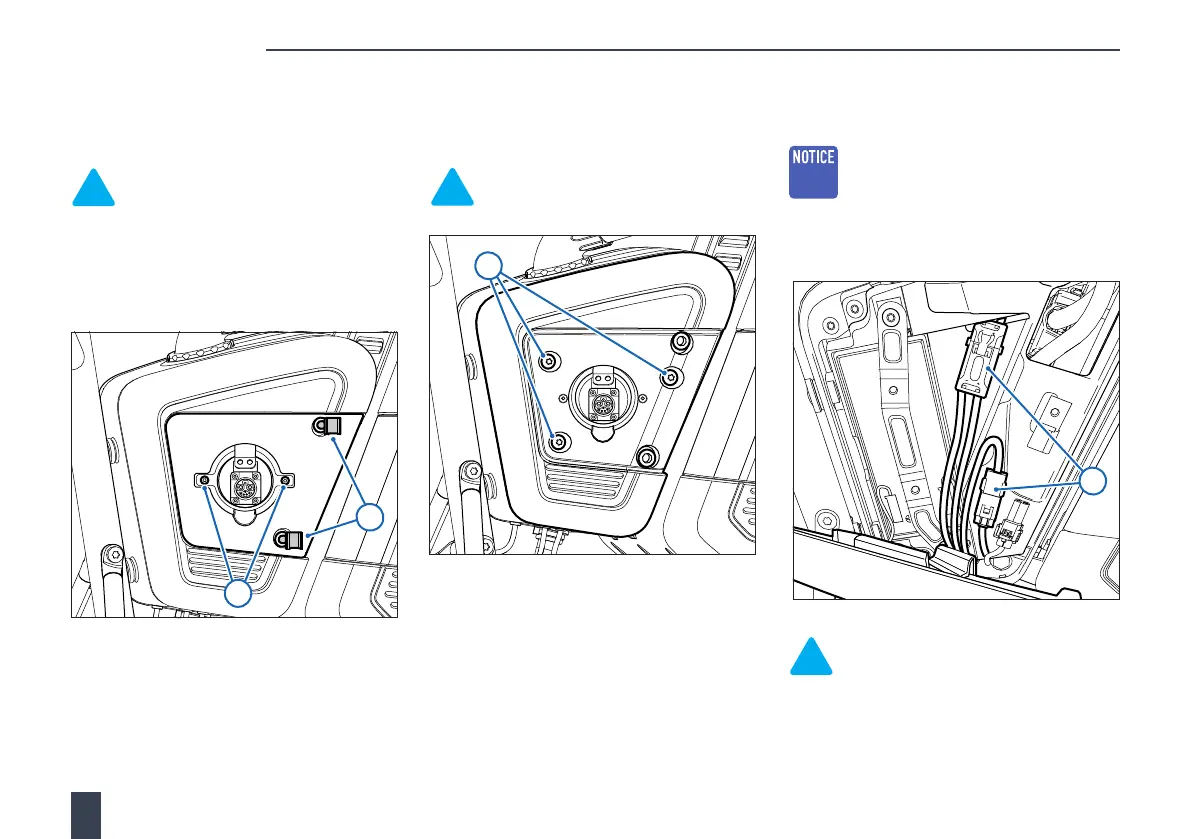
5. Remove the 2 screws (T20 Torx™)
securing the charging connector
surround panel to the access panel.
Note: When refitting, tighten to
3 Nm.
6. Release the surround panel on the right-
hand side from the retaining grommets
and remove the charging connector
surround.
7. Remove the 3 bolts (T30 Torx™) securing
the access panel to the electronics
housing and detach the panel.
Note: When refitting, tighten to
8 Nm.
8. Disconnect the electrical connectors and
remove the access panel.
NOTICE: Make sure wiring harnesses
or components attached to the
12-volt battery access panel are not
trapped or damaged while removing
the panel.
Note: The installation procedure is
the reverse of removal.
5
6
7
8



 To Next Page