43
MagCore® Plus II
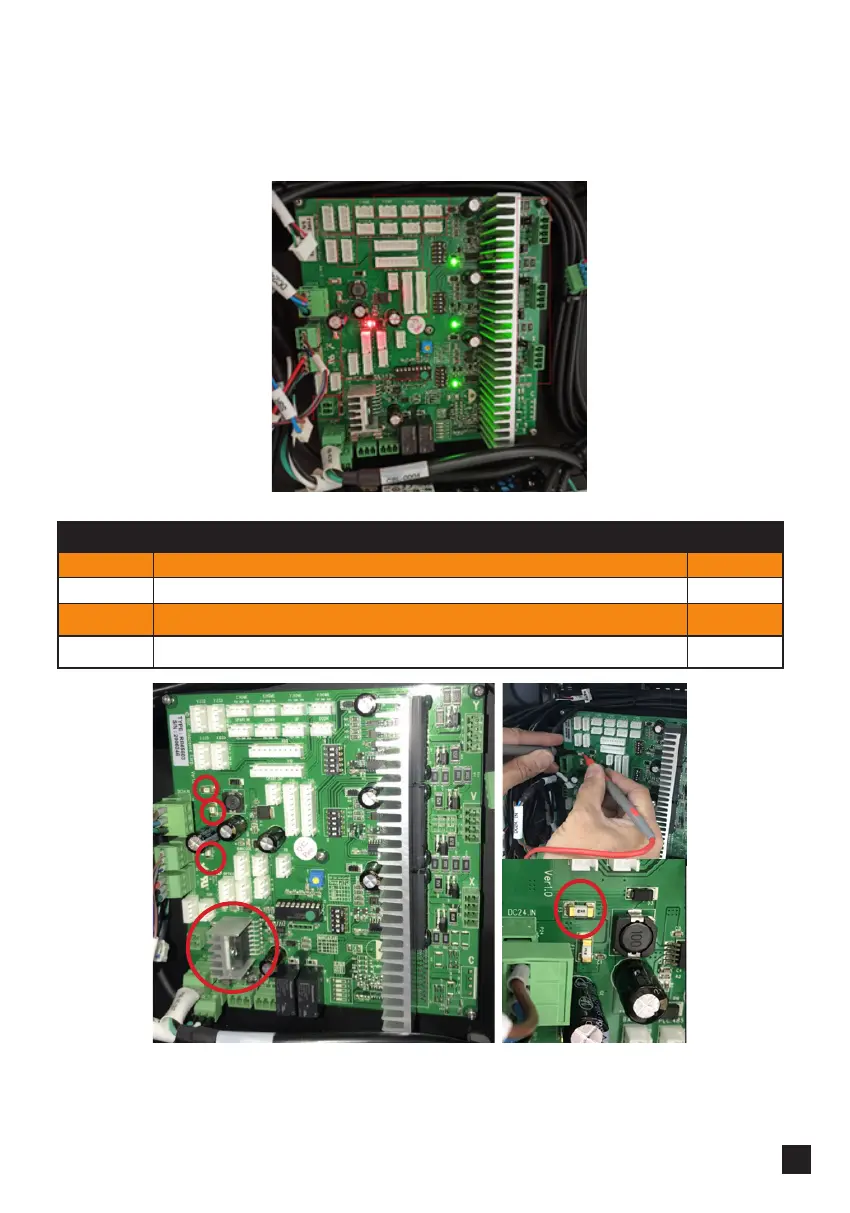
3. Check your PCB. When machine is on, all 4 (1 red and 3 green) LEDs on PCB should
be on.
If any of the LEDs is off it means a corresponding part of PCB is not working.
Check heat dissipators and fuses:
Fuse on the picture above cuts off the part of the board that is responsible for
sensors and encoders. Check if this fuse is working.
If anything from above is not working properly, replace the PCB.
Fuses
F1 Main Power
AC
F2 PLC, HMI
DC
F3 Sensors. Encoders, LED on PCB
DC
F4 DC Motor, LED
DC



 To Next Page