LeadCare
®
II User's Guide 2-5
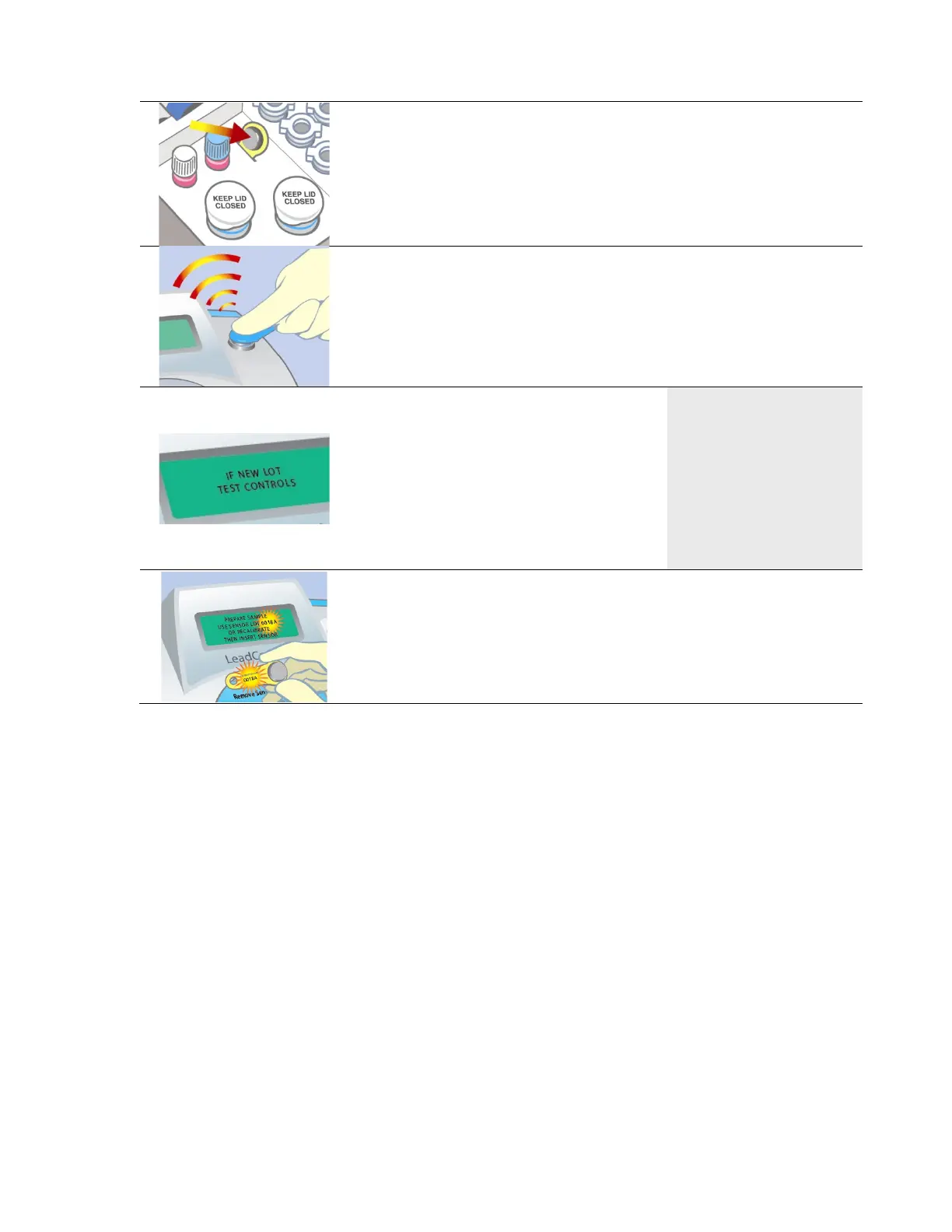
2. Locate the calibration button in the test kit. Remove the
calibration button from the test kit package.
3. Match the lot number on the sensor container with the
calibration code on the button.
4. Hold the calibration button to the button reader until you
hear the beep. The button must touch both the center
contact and metal side of the button reader.
There is no need to apply pressure.
5. Calibration takes a few seconds.
When calibration is complete, the
screen briefly reads
“CALIBRATION SUCCESSFUL”.
Then the screen reads “IF NEW
LOT TEST CONTROLS”, followed
by the “PREPARE SAMPLE...”
message.
CALIBRATION
SUCCESSFUL
6. Make sure the number of the button matches the display.
The LeadCare II Blood Lead Analyzer is now ready for
testing.


 To Next Page