LeadCare
®
II User's Guide A-2
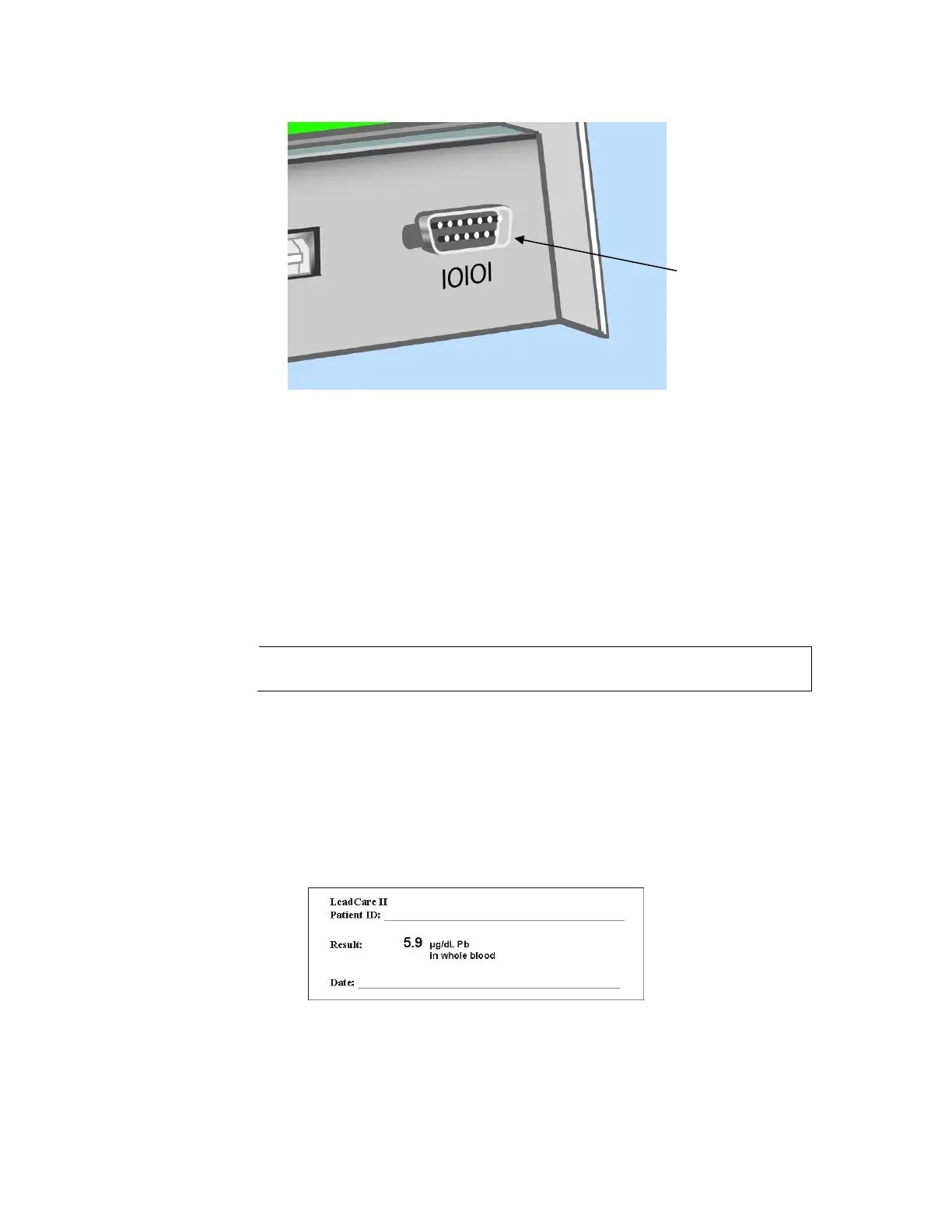
Figure A-2 Rear Panel of the LeadCare II
1. Using the serial cable supplied with the printer, connect the DB9 end to
the LeadCare II’s serial port.
2. Connect the RJ11 end of the cable to the printer’s serial (telephone jack)
connection port.
3. Plug the printer’s AC adapter into a power outlet. Label the adapter so it
only gets plugged into the SLP printer.
4. Ensure the LeadCare II is plugged into a power outlet with its appropriate
adapter. Note: Battery operation is insufficient to generate a label.
The USB port cannot be used for printing LeadCare II
results.
Power On Cycle
1. Turn on the printer. A steady green light indicates ready mode.
2. Turn on the LeadCare II Analyzer.
3. Analyze a sample. The result will generate a label with the following
information: :
Figure A-3 LeadCare II Label


 To Next Page