LeadCare
®
II User's Guide 1-7
Setting up the Analyzer
The Work Area
Set up the LeadCare II Blood Lead Analyzer in an area that is free of drafts and
temperature extremes. The analyzer needs a stable temperature to operate. You
can use the analyzer with an AC power adapter or with batteries.
Using the Analyzer with a Power Adapter
CAUTION: Use only the AC adapter supplied with this unit.
Attempting to use a different type of manufacturer’s product
could damage the analyzer.
To use the analyzer with a power adapter:
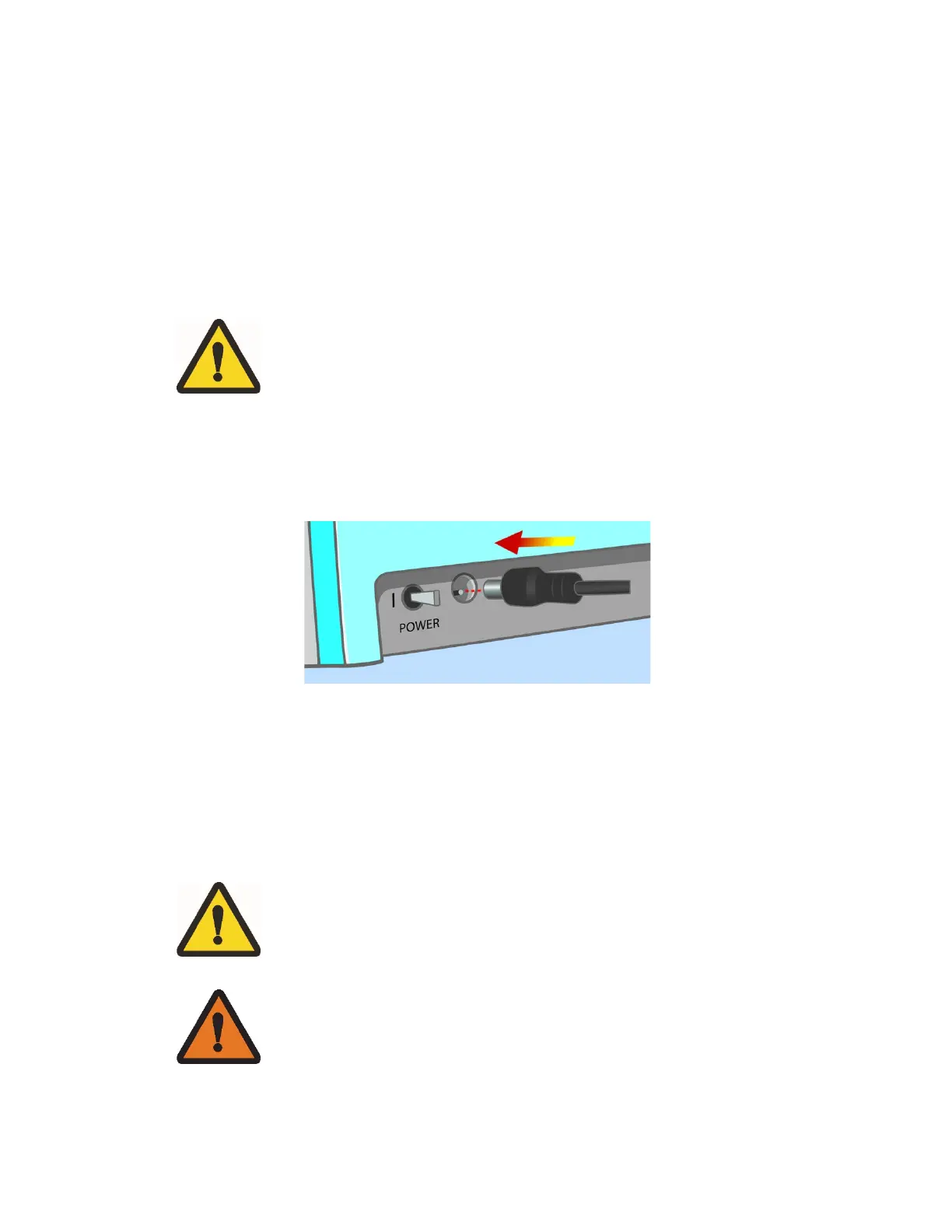
1. Plug the DC connector into the back of the analyzer as shown in Figure 1-3.
Figure 1-3 Plug in DC Connector/AC Adapter
2. Plug the adapter into an AC power outlet.
3. Move the power switch to the left to turn the analyzer on.
Installing Batteries
CAUTION: When replacing batteries, use only 1.5 V AA size
alkaline or lithium batteries (4 ea). Shut the analyzer off prior to
battery removal. Dispose according to local, state and country
WARNING: Batteries may explode if mishandled or replaced
incorrectly. Do NOT dispose of batteries in fire. Do NOT attempt
to disassemble or recharge batteries. Keep batteries away from


 To Next Page