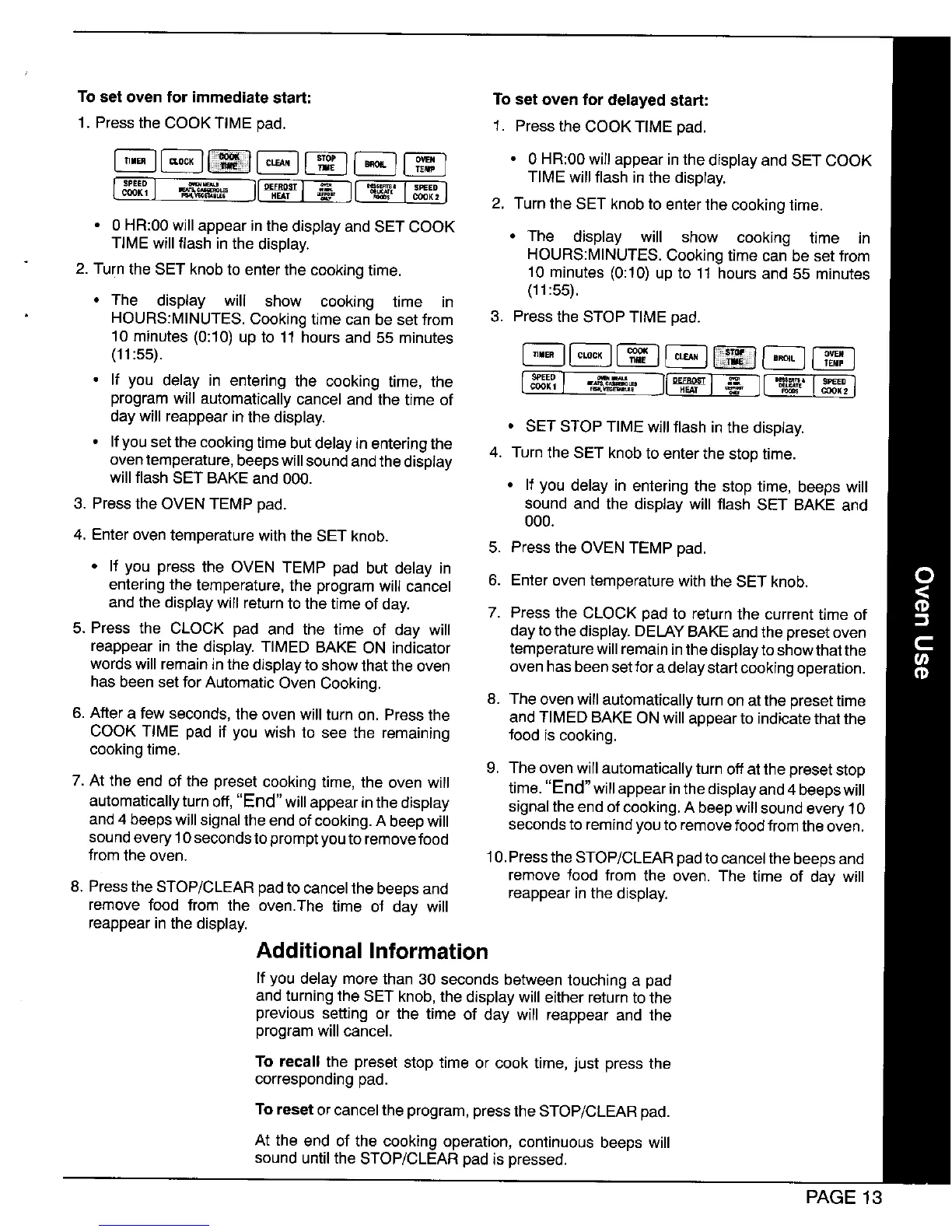
To set oven for immediate start: To set oven for delayed start:
1. Pressthe COOKTIME pad. 1, Pressthe COOK TIME pad,
_ _ _ [_ _ • 0 HR:O0willappear inthedisplay and SET COOK
TIME will flash in the display.
_'_"'_' 2. Turn the SET knob to enter the cooking time.
• 0 HR:00 will appear in the display and SET COOK
TIME will flash in the display. * The display will show cooking time in
HOURS:MINUTES. Cooking time can be set from
2. Turnthe SET knob to enter the cooking time. 10 minutes (0:10) up to 11 hours and 55 minutes
(11:55).
• The display will show cooking time in
HOURS:MINUTES. Cooking time can be set from 3. Press the STOP TIME pad.
10 minutes (0:10) up to 11 hours and 55 minutes
• If you delay in entering the cooking time, the _ _--_, ___
program will automatically cancel and the time of
day will reappear in the display. • SET STOP TIME will flash in the display.
• Ifyousetthecookingtimebutdelayinenteringthe 4. Turn the SET knob to enter the stop time.
oventemperature, beeps willsound andthedisplay
will flash SET BAKE and 000. * If you delay in entering the stop time, beeps will
3. Press the OVEN TEMP pad. sound and the display will flash SET BAKE and
000.
4. Enter oven temperature with the SET knob.
5. Press the OVEN TEMP pad.
• If you press the OVEN TEMP pad but delay in
entering the temperature, the program will cancel 6. Enter oven temperature with the SET knob.
and the display will return to the time of day. 7. Press the CLOCK pad to return the current time of
5. Press the CLOCK pad and the time of day will day to the display. DELAYBAKEand the preset oven
reappear in the display. TIMED BAKE ON indicator temperature will remaininthe display to show thatthe
words will remain in the display to show that the oven oven has been set fora delaystart cookingoperation.
has been set for Automatic Oven Cooking.
8. The oven will automatically turn on at the presettime
6. After a few seconds, the oven will turn on. Press the and TIMED BAKE ON will appear to indicate that the
COOK TIME pad if you wish to see the remaining food is cooking.
cooking time.
9. The oven willautomatically turn off at the preset stop
7. At the end of the preset cooking time, the oven will time."End"willappearinthedisplayand4beepswill
automat'cally turn off, "End w'll appearinthe display signal the end of cooking. A beepwill sound every 10
and4 beeps will signal the endof cooking.A beep will seconds toremindyou to removefood from the oven.
soundevery 10seconds to prompt youto removefood
from the oven. 10.Pressthe STOP/CLEAR padtocancel the beeps and
remove food from the oven. The time of day will
8. Pressthe STOP/CLEAR padto cancel the beeps and reappear inthe display.
remove food from the oven.The time of day will
reappear in the display.
Additional Information
If you delay more than 30 seconds between touching a pad
and turning the SET knob, the display will either return to the
previous setting or the time of day will reappear and the
program will cancel.
To recall the preset stop time or cook time, just press the
corresponding pad.
To reset orcancel the program, pressthe STOP/CLEAR pad.
At the end of the cooking operation, continuous beeps will
sound untilthe STOP/CLEAR pad ispressed.
PAGE 13




 To Next Page