SPEED COOK 1 or SPEED COOK 2
• SPEED COOK 1" Basic Instructions
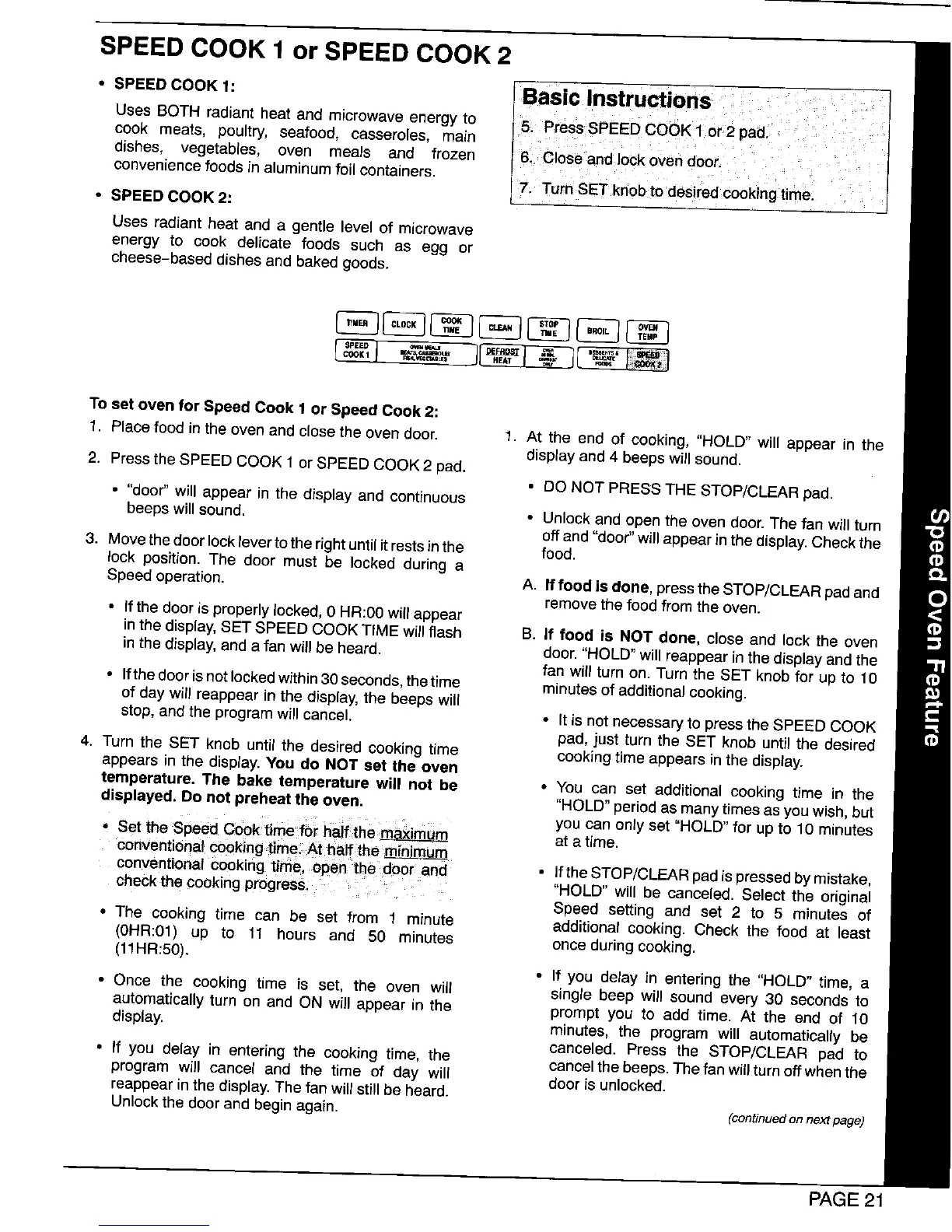
Uses BOTH radiant heat and microwave energy to 5. PressSPEED COOK 1 or 2 pad.
cook meats, poultry, seafood, casseroles, main
dishes, vegetables, oven meals and frozen 6. Close and Jockoven door.
conveniencefoods in aluminumfoil containers.
7 Turn SET knob to desired cook ng time.
• SPEED COOK 2.'
Uses radiant heat and a gentle level of microwave
energy to cook delicate foods such as egg or
cheese-based dishes and baked goods.
SPEED _*_J
To setoven for Speed Cook 1 or Speed Cook 2:
1. Place food inthe oven and close the oven door. 1. At the end of cooking, "HOLD" will appear in the
display and 4 beeps will sound.
2. Pressthe SPEED COOK 1or SPEED COOK 2 pad.
• DO NOT PRESS THE STOP/CLEAR pad.
• "door_ will appear in the display and continuous
beeps will sound. • Unlock and open the oven door. The fan will turn
off and "door"will appear in the display.Check the
3. Movethe door lockleverto the rightuntil it rests inthe food.
lock position. The door must be locked during a
Speedoperation. A. If food is done, pressthe STOP/CLEAR padand
remove the food from the oven.
• If the door is properly locked, 0 HR:00will appear
inthe display,SET SPEED COOK TIME will flash B. If food is NOT done, close and lock the oven
inthe display,and a fan will be heard, door. "HOLD" will reappearin the displayand the
fan will turn on. Turn the SET knob for up to 10
• Ifthe door is not lockedwithin30 seconds, the time minutes of additionalcooking.
of day will reappear in the display, the beeps will
stop, and the programwill cancel. • It is not necessary to pressthe SPEED COOK
pad, just turn the SET knob until the desired
4. Turn the SET knob until the desired cooking time cooking time appears inthe display.
appears in the display. You do NOT set the oven
temperature. The bake temperature will not be • You can set additional cooking time in the
displayed. Donot preheat the oven. "HOLD" periodas manytimes as you wish, but
• Set ihe Speed Cook time foi hail the m_imum you can only set "HOLD" for up to 10 minutes
at atime.
ConVentionalcookingtime At half,theminimum
conventional Cooking time, ,open thedoor and= • If the STOP/CLEAR pad ispressed bymistake,
check the cooking progress, = "HOLD" will be canceled. Select the original
Speed setting and set 2 to 5 minutes of
• The cooking time can be set from 1 minute additional cooking. Check the food at least
(0HR:01) up to 11 hours and 50 minutes once during cooking.
(11HR:50).
• If you delay in entering the "HOLD" time, a
• Once the cooking time is set, the oven will single beep will sound every 30 seconds to
automatically turn on and ON will appear in the prompt you to add time. At the end of 10
display, minutes, the program will automatically be
canceled. Press the STOP/CLEAR pad to
• If you delay in entering the cooking time, the cancel the beeps. The fan will turn off when the
program will cancel and the time of day will door is unlocked.
reappear in the display. The fan will still be heard.
Unlockthe doorand begin again. (continuedon next page)
PAGE 21




 To Next Page