22
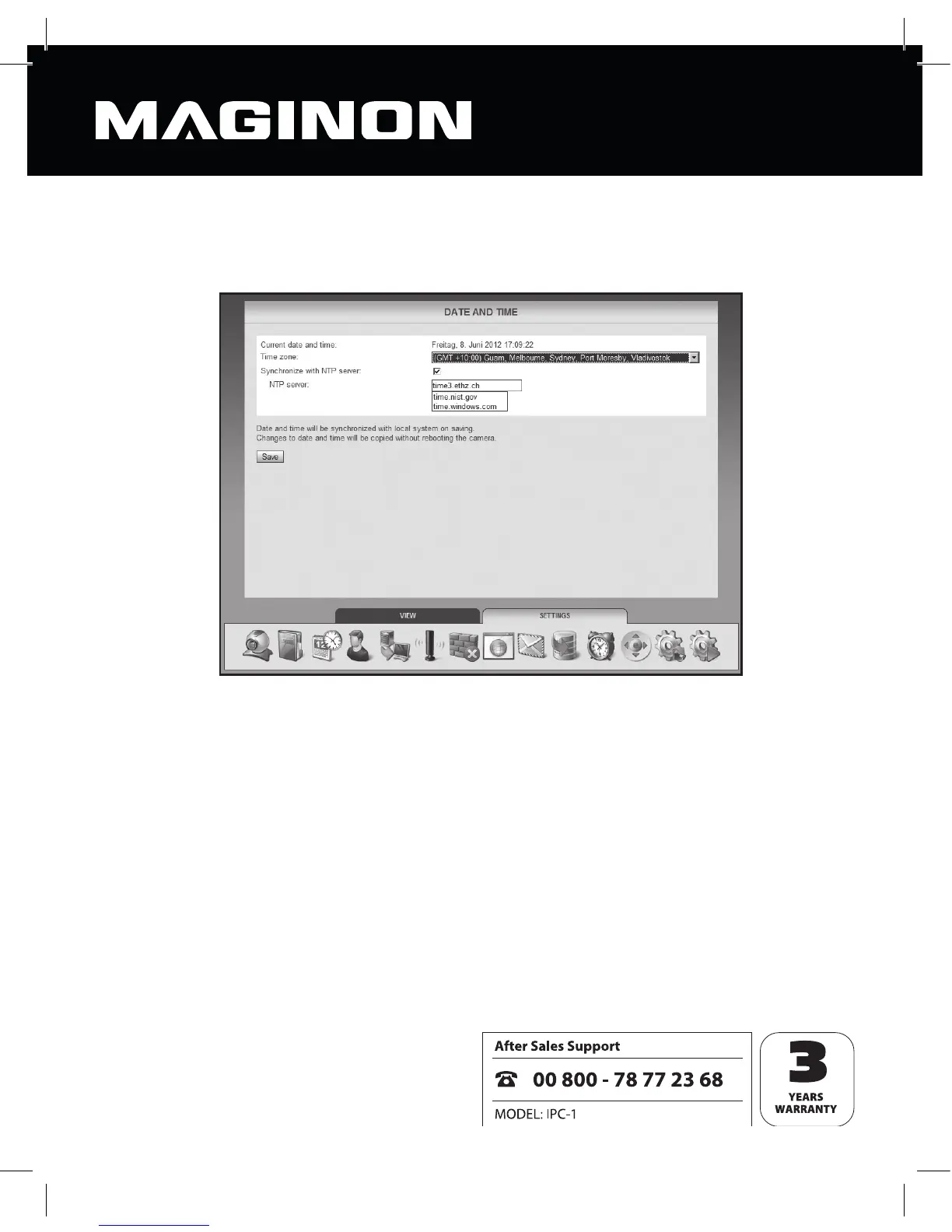
6.3. Date and time
Specify here which time zone the camera is in and whether the date and time are to be
updated automatically via a so called NTP server (time server).
Current date and time: this shows the date and time as stored in the camera. This
information is synched with the local system when the date and time settings are saved.
Where the option “Synchronize with NTP server” is not selected, this method may be used
to set the date and time.
Time zone: from the list, select the time zone in which the camera is located.
Synchronize with NTP server: where date and time are to be kept up to date
automatically via an NTP server, tick this box.
NTP server: from this list displayed, choose the NTP server to be used to update date and
time. You may also specify an NTP server not on the list by entering its name or IP address.
Click “Save” to accept the amended settings. The changes will be accepted without having
to reboot the camera.



 To Next Page