30
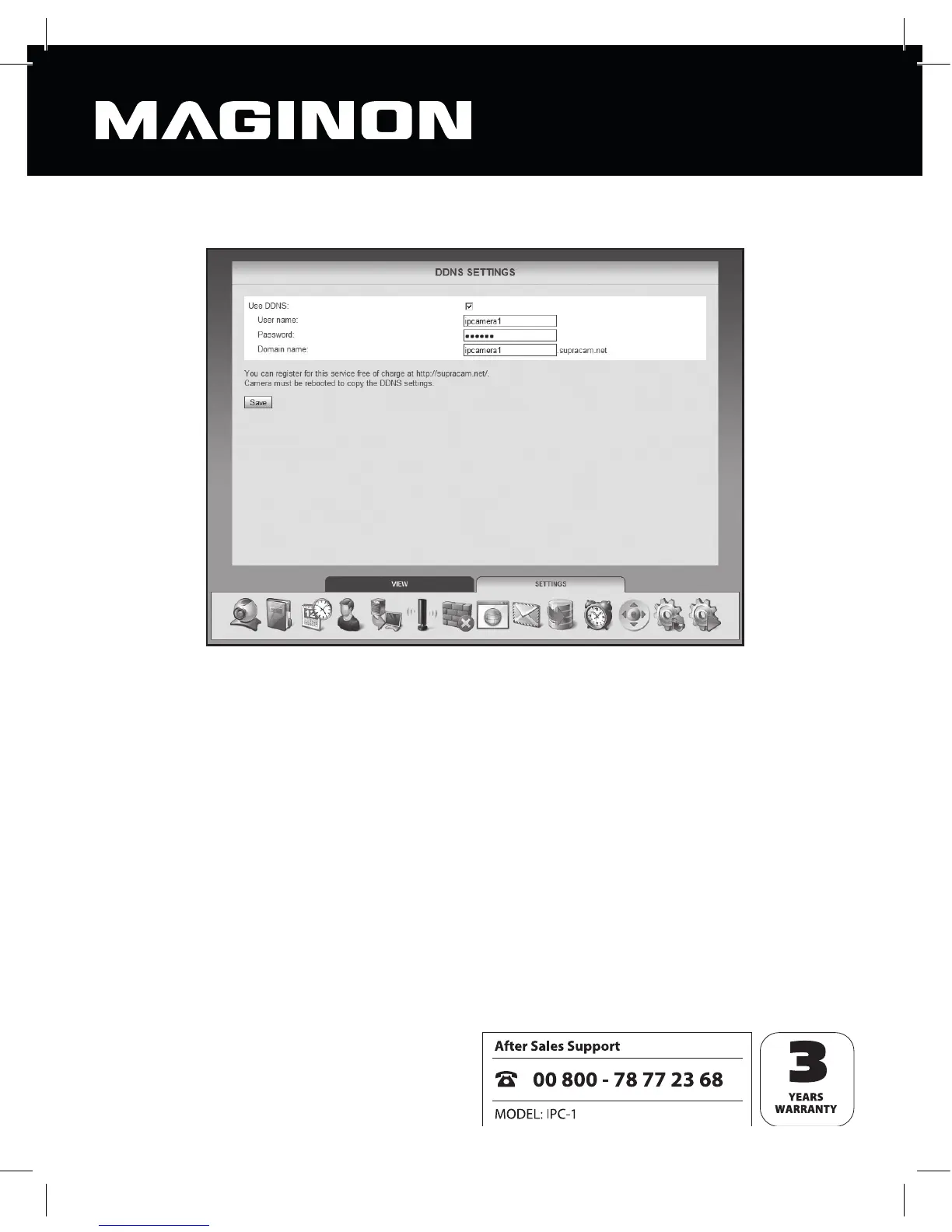
Once the camera has been registered successfully, switch to the DDNS settings.
For “User name” and “Password”, enter the same data you entered when registering on the
DDNS server.
In the “Domain name” text eld, enter the name you speci ed upon registration. In the case
of one camera only, this is generally the user name, and in the case of more than one
registered camera you should use the name you received upon registration.
Click “Save” to accept the changed settings. You must reboot the security camera in order
for the changed DDNS settings to be applied.



 To Next Page