31
48-640 E3 Modulevel
®
Displacer Level Transmitter - FOUNDATION fieldbus
™
5.0 E3 Modulevel
®
Menu: Step by Step Procedures
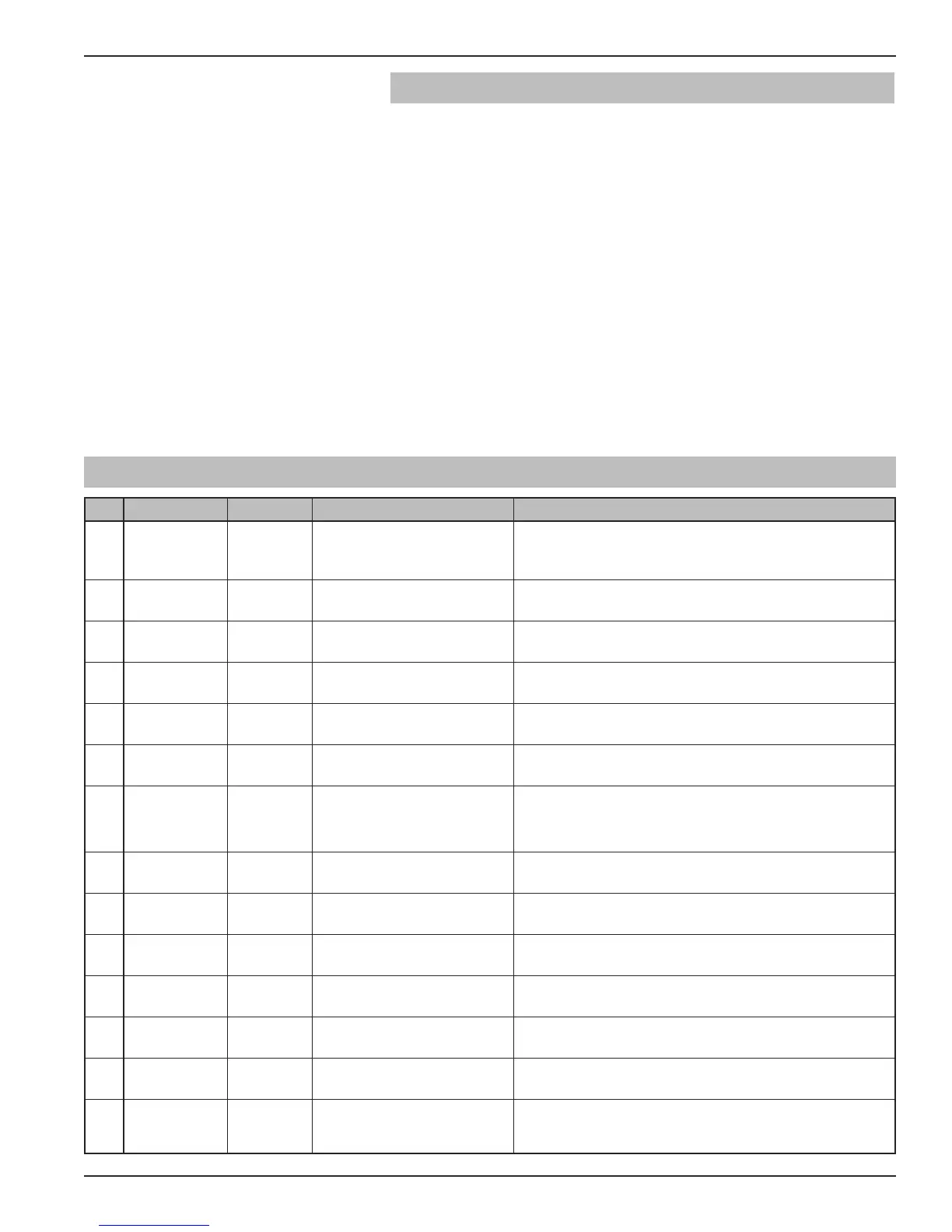
The following table describes the software menu displayed by
the E3 MODULEVEL F
OUNDATION fieldbus
™
transmitter
for “Level Only” measurement. Use this table as a step by
step guide to configure the transmitter.
The second column presents the menus shown on the trans-
mitter display. The displays are in the order they would
appear if the arrow keys were used to scroll through the
menu. The numbers on the first column are not shown in
the display. They are only provided as reference. The third
column indicates the password level required to access and
change the parameter.
The fourth column provides the actions to take when
configuring the transmitter. Additional information or an
explanation of an action is given in the fifth column.
1
*Status*
*PV-Lvl*
*AI Out*
None
Transmitter Display MeasType = Level
2
PV-Lvl
xx.xx lu
None
Transmitter Display (Alternate Home Menu)
3
AI Out None
Transmitter Display (Alternate Home Menu)
4
Proc SG
x.xxx sg
User
Enter the specific gravity of the
process liquid at operating temp.
Adjusts factory calibration for actual specific gravity
(limited by SG range of spring)
5
ProcTemp
xxx F
User
Enter the Process Operating
Temperature
Adjusts factory calibration for actual temperature
(limited by maximum temperature rating of model)
6
LvlUnits User
Select the Level Units Select from cm, inches, feet, meters.
7
Lvl Ofst
xx.xx lu
User
Enter desired level reading
when level is at the calibrated
zero reference
Minimum offset = -(displacer length)
Maximum = 960 inches (2438.4 cm)
8
LVDT Damp
xx s
User
Select time constant of
desired damping
0 to 45 sec
9
Trim Lvl
xx.xx lu
User
Enter value to adjust Level
reading
Fine tune level reading
-10.00 inch to +10.00 inch
10
New Pass
xxx
User
Enter new password (0 – 255) Displays encrypted value of present password
Default value = 0
11
Language
(select)
User
Select from English, Spanish,
French, German
Language choice for LCD display
12
E3 ModFF
Ver 1.0
None
Transmitter Display Product identification
Firmware version
13
DispFact
(select)
None
Select “Yes” to display factory
parameter menu as below
14
History
Status
None
Diagnostic Display to view
present status and recent
exceptions
5.1 Measurement Type: Level Only





 To Next Page