15
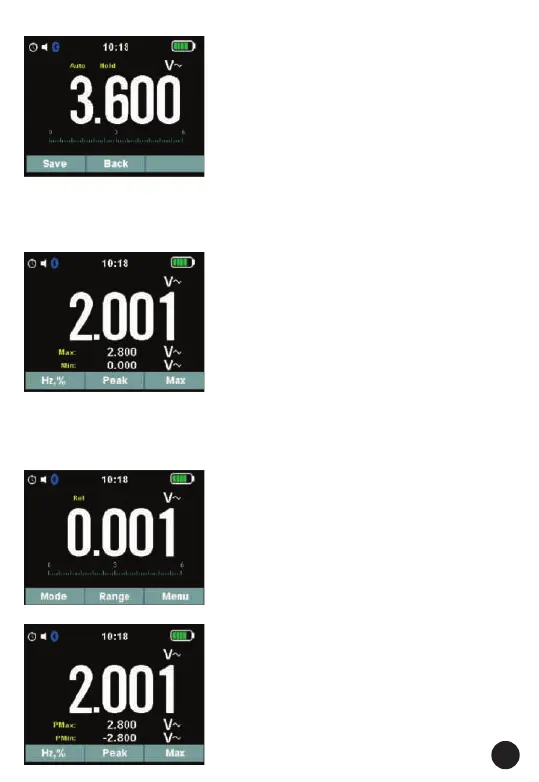
4.15. Hold Mode
• To freeze the display for any function,
press key HOLD. And again press key
HOLD to release freeze.
• Press soft key SAVE will store the
measurement to memory.
4.16. Capturing Minimum and
Maximum Values
• The MAX MIN Record mode captures
minimum, and maximum input values.
• When the input goes below the recorded
minimum value or above the recorded
maximum value, the Meter beeps and
records the new value.
• This mode is for capturing intermittent
readings, recording minimum and
maximum readings unattended, or
recording readings while equipment
operation precludes watching the Meter.
• To activate the MAX MIN mode, press soft
key max.
• If the Meter is already in MAX MIN
function, press max to turn MAX MIN
function off.
4.17. Relative Values
• To activate the relative mode, press the
REL key.
• If the Meter is already in the relative
function, press REL to turn REL MODE off.
4.18. Capturing Peak Values
• In VAC measures, To activate the peak
mode, press the soft key peak.
• If the Meter is already in the peak
function, press peak to turn Peak mode
off.



 To Next Page