9
OFF
V
Hz%
CAP
Ω
Temp
°C°F
600A
AC/DC TRMS
CLAMP METER
WITH DATALOGGER
1000A
CAT III 1000V
CAT IV 600V
CAP
V Hz%
Ω
Temp
COM
AUTO POWER OFF
V
LoZ
ESC
Bluetooth
INRUSH
REL
RANGE
MENU
MODE
2sec.
10:18
V
600.0
Mode Max Menu
Auto
0 3 6
OFF
V
Hz%
CAP
Ω
Temp
°C°F
600A
AC/DC TRMS
CLAMP METER
WITH DATALOGGER
1000A
CAT III 1000V
CAT IV 600V
CAP
V Hz%
Ω
Temp
COM
AUTO POWER OFF
V
LoZ
ESC
Bluetooth
INRUSH
REL
RANGE
MENU
MODE
2sec.
10:18
V
600.0
Mode Max Menu
Auto
0 3 6
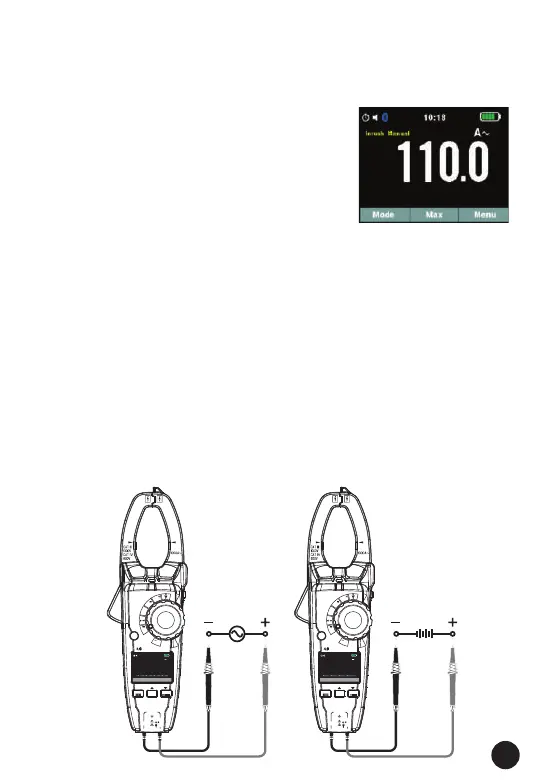
4.2. Inrush Current Measurements
1. Set the function switch to the 600A or 1000A position.
2. Press the INRUSH button (Enter key for 2 seconds) to indicate “Inrush”
on the display. Then measurement display “----” .
3. Clamp the cable to be motor.
4. Start the motor.
5. Read the inrush current in the display.
4.3. AC/DC Voltage Measurements
WARNING: Risk of Electrocution. The probe tips may not be long enough
to contact the live parts inside some 240V outlets for appliances because
the contacts are recessed deep in the outlets. As a result, the reading may
show 0 volts when the outlet actually has voltage on it. Make sure the
probe tips are touching the metal contacts inside the outlet before
assuming that no voltage is present.
CAUTION: Do not measure AC/DC voltages if a motor on the circuit is
being switched ON or OFF. Large voltage surges may occur that can
damage the meter.
1. Set the function switch to the V AC/DC position.
2. Insert the black test lead banana plug into the negative COM jack.
Insert the red test lead banana plug into the positive V jack.
3. Press the MODE key to switch AC or DC Voltage functions.
4. Read the voltage in the display.



 To Next Page