19
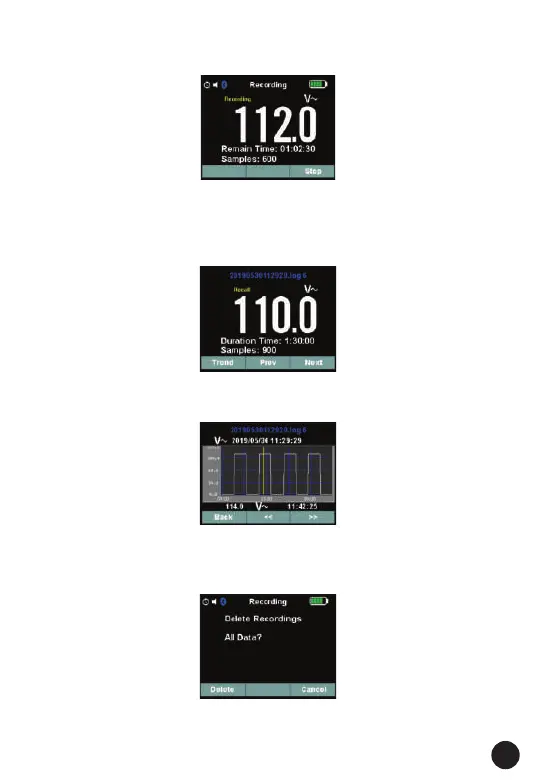
3. In Record Menu. Press soft key Up/Down to select Start recording Item,
and press soft key Enter to start one new recording.
4. In Record Menu. Press soft key Up/Down to select Recall recordings
Item, and press soft key Enter to enter recall recording in memory. Then
Press soft key Prev/Next view last or next recording. Fig is below:
And Press soft key Trend to expansion graph. Fig is below:
5. In Record Menu. Press soft key Up/Down to select Delete recordings
Item. and press soft key Enter to enter delete all recording function.



 To Next Page