LEVELUPS SERIES 10-20 KVA PRODUCT DESCRIPTION
AG-SD-83 / Publication Date: 15.09.2014 / Rev. No: 0 / Rev. Date:
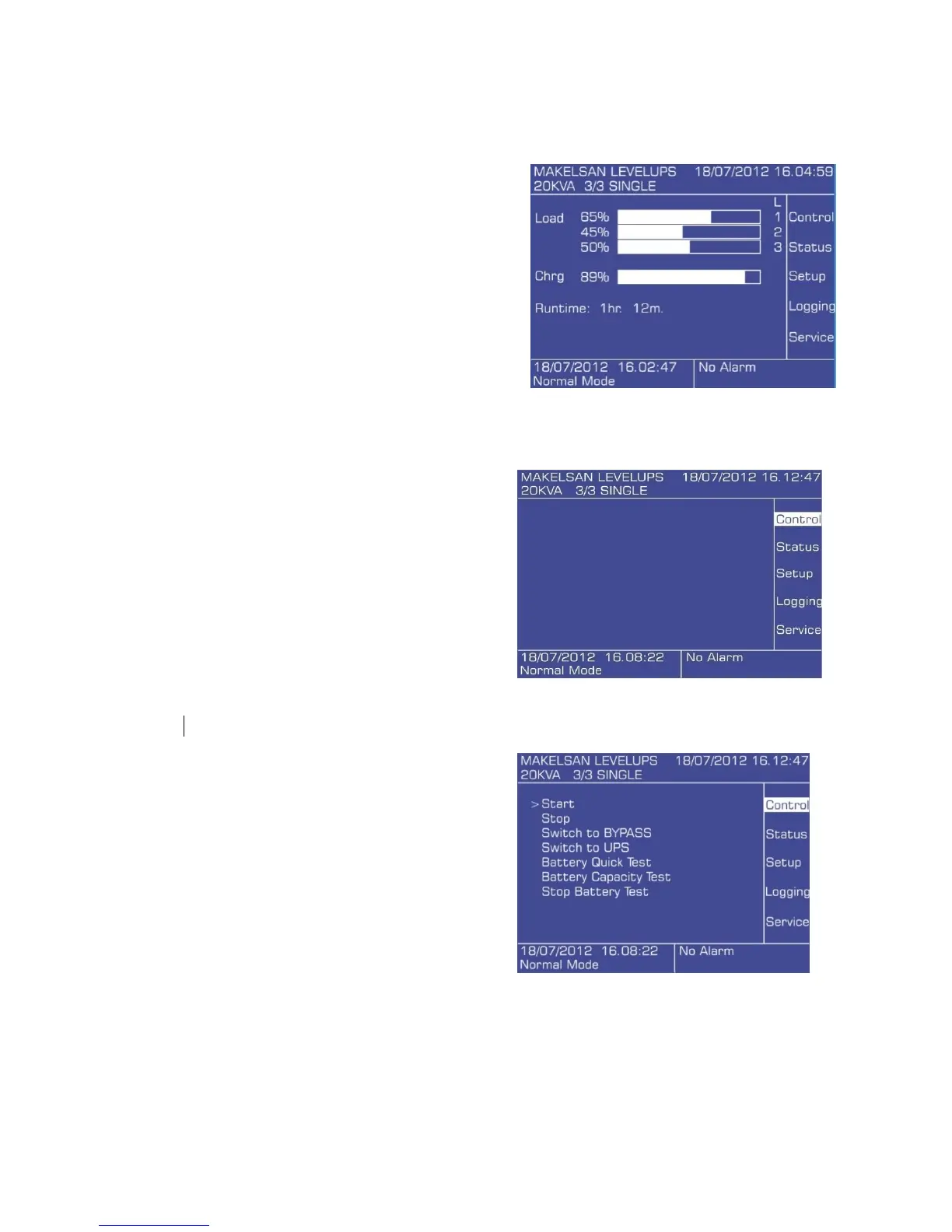
2.4.1 Opening Screen
When the front panel monitor is turned on,
firstly opening screen is observed.
Manufacturer – Device Name, Date – Time,
Load Status as Percent, Battery Charge Status as
Percent, Remaining Back up (Autonomy) Time,
UPS Mode – Actual Alarms, Main Menu Titles can be
observed here. In case of an alarming condition,
alarms are shown on the left-down row. If no button
is pressed for 5 minutes, system returns to the
opening screen.
2.4.2 Main Menu Screen
To switch from opening screen to the
Main menu, press Enter.
2.4.3 Navigation through the menu
Use up and down keys to move the cursor arrow.
Press Enter to open a sub-menu.
Press ESC to go back to the previous menu.
Control sub-menu is shown below.
Some sub-menus may have more than
one page. Keep pressing up or down
key to get to the next screen.
Some menus have changeable options like
ON/OFF, duration or quantity. To make
changes in the menu press ENTER to choose the variable, up and down keys to change the value,
and press ENTER to set the new value. Press ESC to cancel.









 To Next Page