LEVELUPS SERİSİ 10-20 KVA OPERATION
AG-SD-83 / Publication Date: 15.09.2014 / Rev. No: 0 / Rev. Date:
8. The loads which are connected to UPS can be turned on.
After all these steps, check that load is fed through inverter static switches via mimic diagram. In
a contrary situation, check UPS total and phase loads. The UPS gives audio alerts in an overload
condition, without feeding critical AC loads.
4.1.3 UPS Operation Modes Testing
After first start-up check device operation by switching between the foperation. asdfasd modes
manually.
4.1.3.1 Switching from Online Mode to Battery Mode
Turn CB1 OFF. This action cuts off the mains voltage and the UPS starts operating on battery
mode. Turn CB1 back ON again if everything is ok.
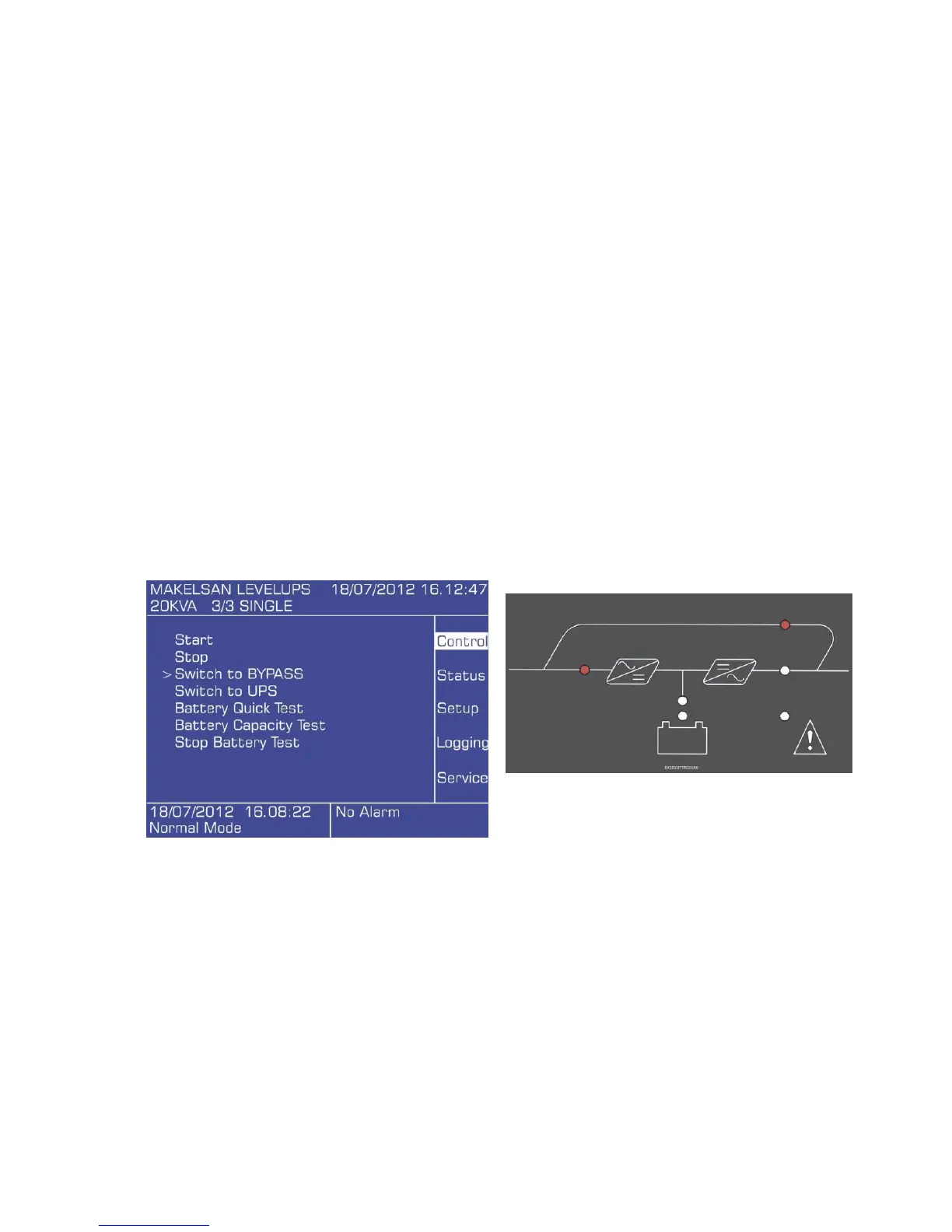
4.1.3.2 Switching from Online Mode to Static Bypass Mode
Use the front panel to switch the device to static bypass mode. Check the mimic panel to make
sure that the device has switched to bypass mode.
Main menu> Control > Switch to Bypass
NOTE: UPS will not switch to bypass mode if the inverter voltage is out of limits or there is and
overload or overtemperature situation.









 To Next Page