LEVELUPS SERİSİ 10-20 KVA OPERATION
AG-SD-83 / Publication Date: 15.09.2014 / Rev. No: 0 / Rev. Date:
4.1.3.3 Switching from Static Bypass Mode to Online
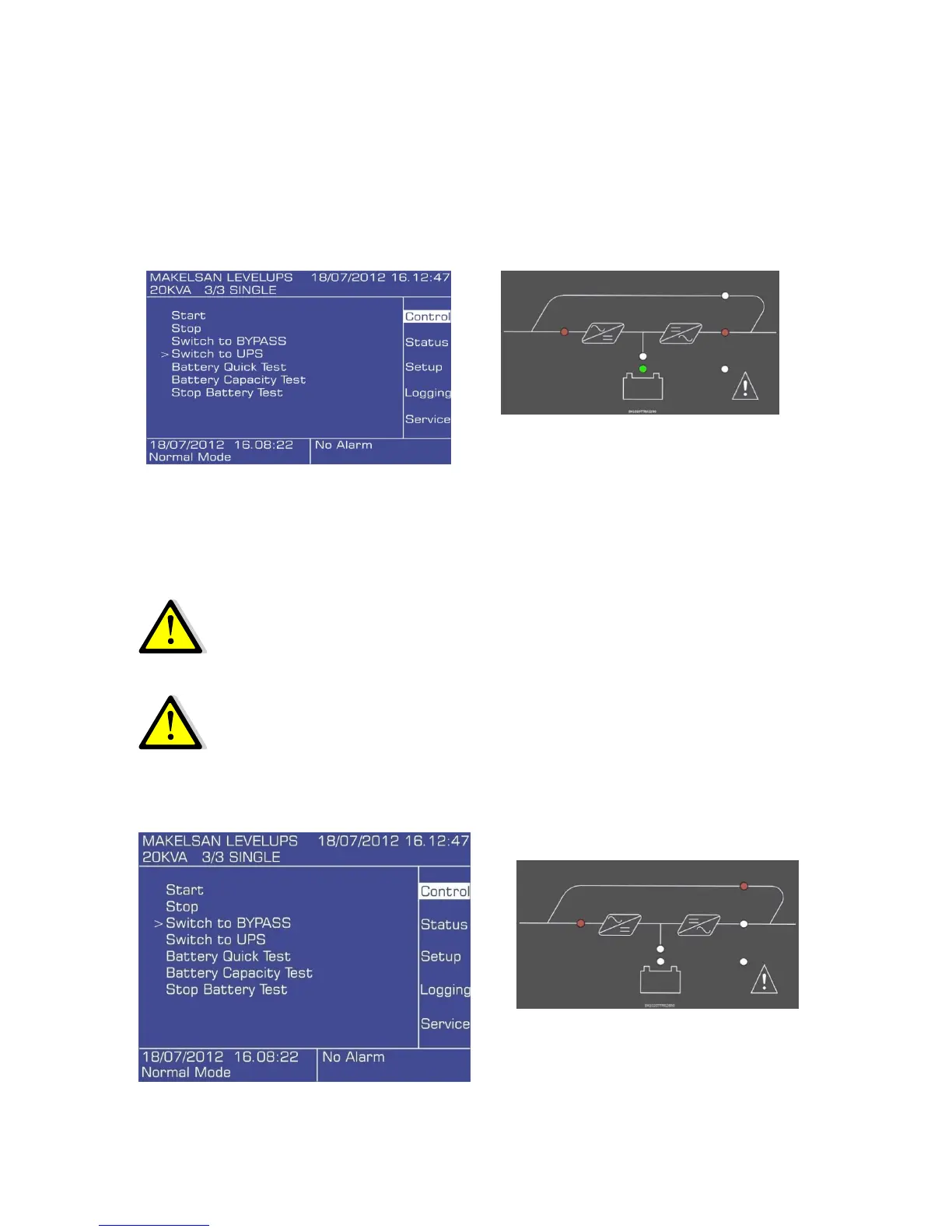
Use the front panel to switch the device to online mode. Check the mimic panel to make sure that
the device has switched to online mode.
Main menu > Control > Switch to UPS
NOTE: the UPS will not switch to normal mode if the inverter voltage is out of limits, or there is
an over load or over temperature situation.
4.1.3.4 Switching from Online Mode to Maintenance Bypass Mode
WARNING: Make sure that the inverter output is synchronous with the
maintenance bypass line before switching to maintenance bypass mode.
Otherwise there is a possibility of cutting off the load power for a short
while.
Use the front panel to switch the device to static bypass mode. Check the
mimic panel to make sure that the device has switched to bypass mode.
Main menu > Control > Switch to Bypass









 To Next Page