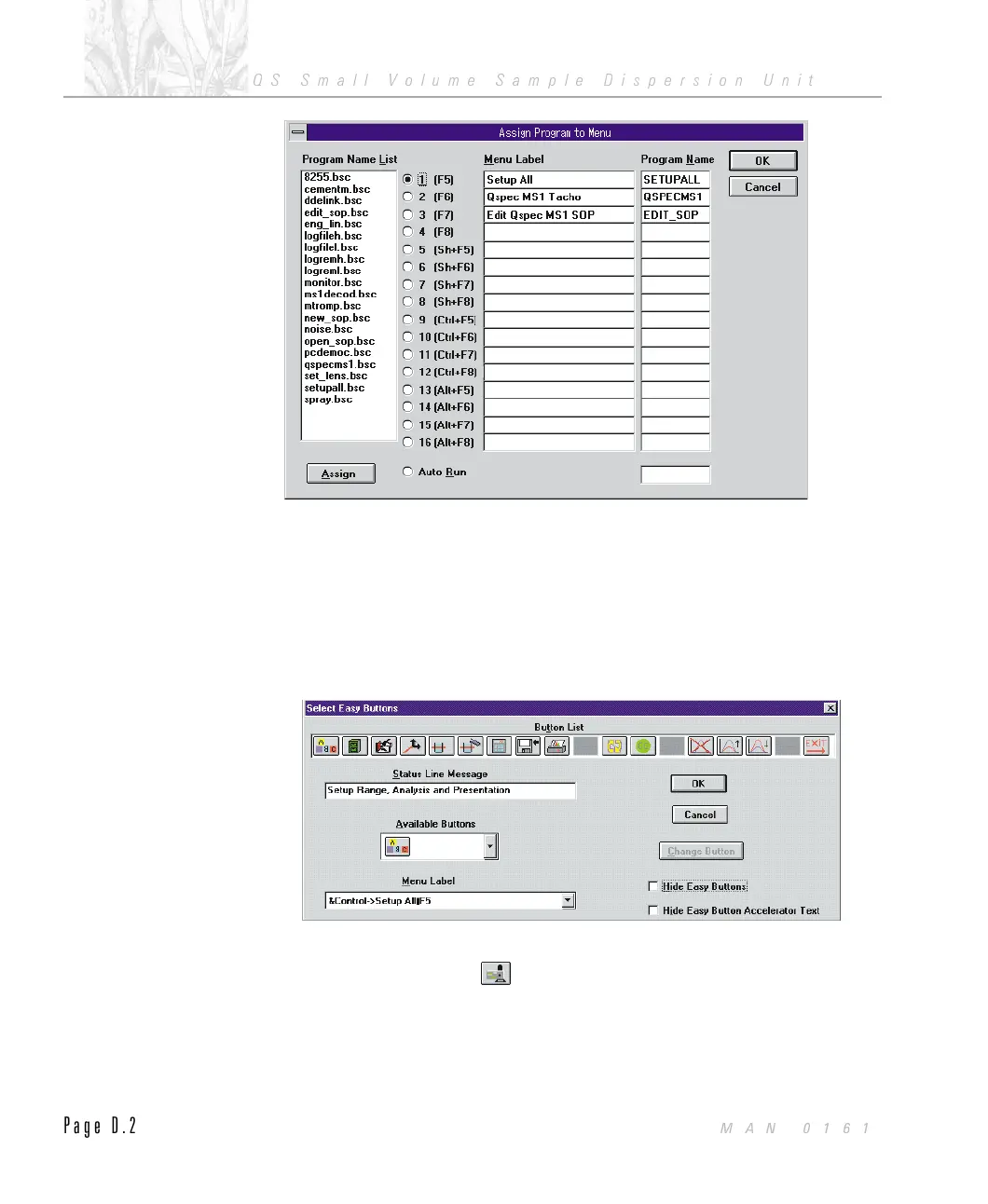
From the Mastersizer program set up the button bar:
.
Open the Control menu from the Mastersizer program.
.
Select Easy Buttons from the menu.
.
Select a spare location on the “Button List” by clicking the left mouse but-
ton above the desired button location, for example, the spare button next to
the “Print Report, Graph, Table” button.
.
Select the MS1 bitmap from the “Available Buttons” list.
.
From the Menu Label list, select “&Control->QSPEC MS1 Macro y F6" -
The text after the y symbol will depend on the location of the QSPEC MS1
program in the assign list.
ILL 3663
ILL 3664
APPENDIX D
QS Small Volume Sample Dispersion Unit
Page D.2
MAN 0161



 To Next Page