Once the electrical connectors and sample tubes have been attached, check the
unit for leaks. Remember not to run the motor for more then a few seconds
without liquid in the tank.
Cleaning the cell windows
Cleaning the system by rinsing through with fresh dispersant a couple of times is
usually sufficient to prepare for a new measurement. Over time you will notice
you cannot achieve such a good background measurement. That is the time to
clean the cell windows.
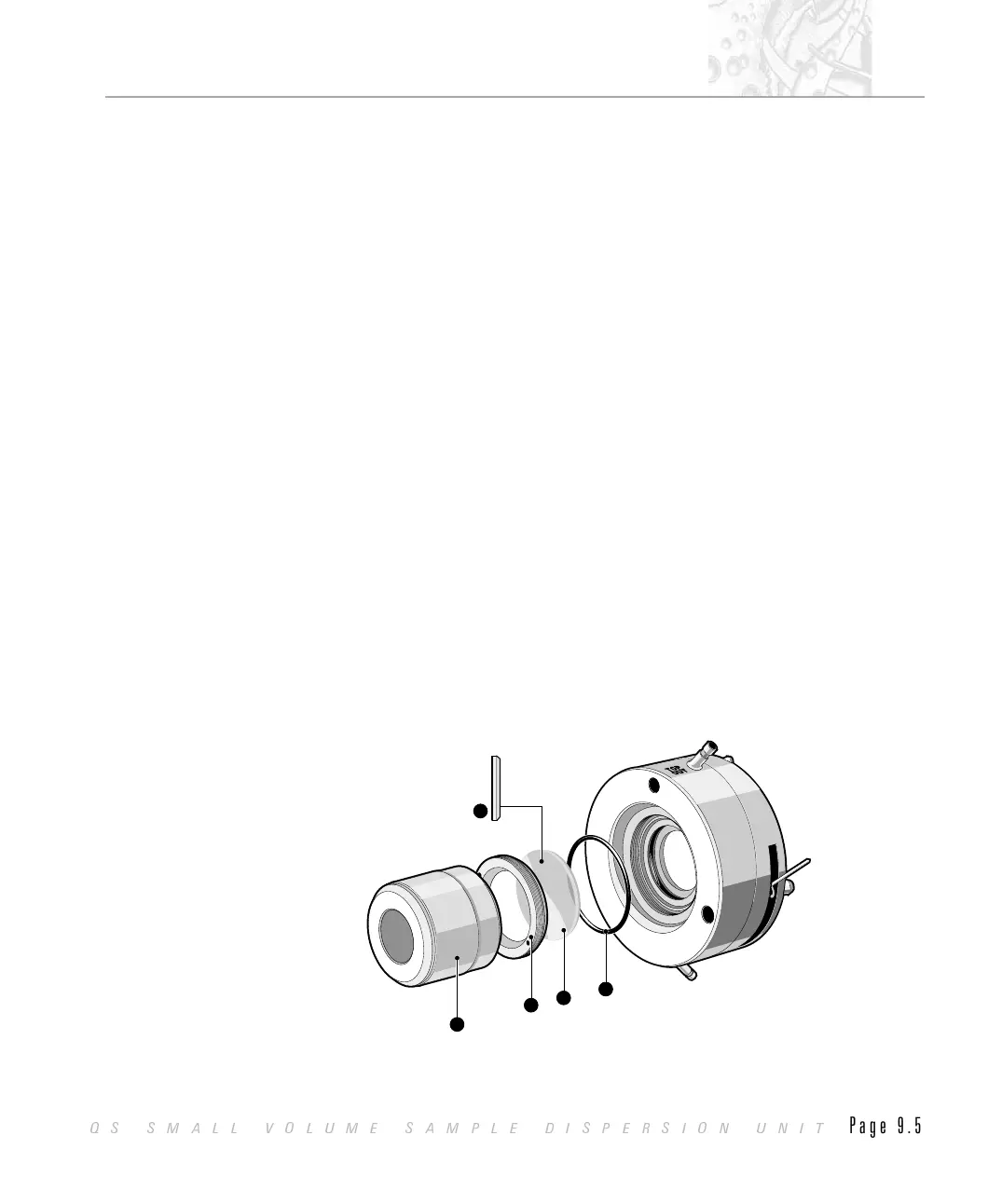
The cell windows are held in place by a metal retaining ring that can be
unscrewed by using the window tool. The cell windows are sealed by “O” rings.
$
To remove a cell window from the Mastersizer S or X:
.
Make sure that the cell has been drained of dispersant and remove the cell
assembly from the Mastersizer bulkhead by releasing the locking lever.
.
Disconnect the two sample tubes from the cell.
.
Locate the two pegs on the window tool À into the two holes on the retain-
ing ring Á.
.
Rotate the window tool anti-clockwise and remove the ring Á.
.
Tip the window à out of the cell onto a clean paper towel.
.
If the “O” ring  did not come out with the window then carefully remove
it with a pair of tweezers.
The window assembly is shown in the diagram below.
5
5
1
2
4
3
ILL2983
CHAPTER 9
QS SMALL VOLUME SAMPLE DISPERSION UNIT
Page 9.5



 To Next Page