17
Preparing the Mamiya ZD Back
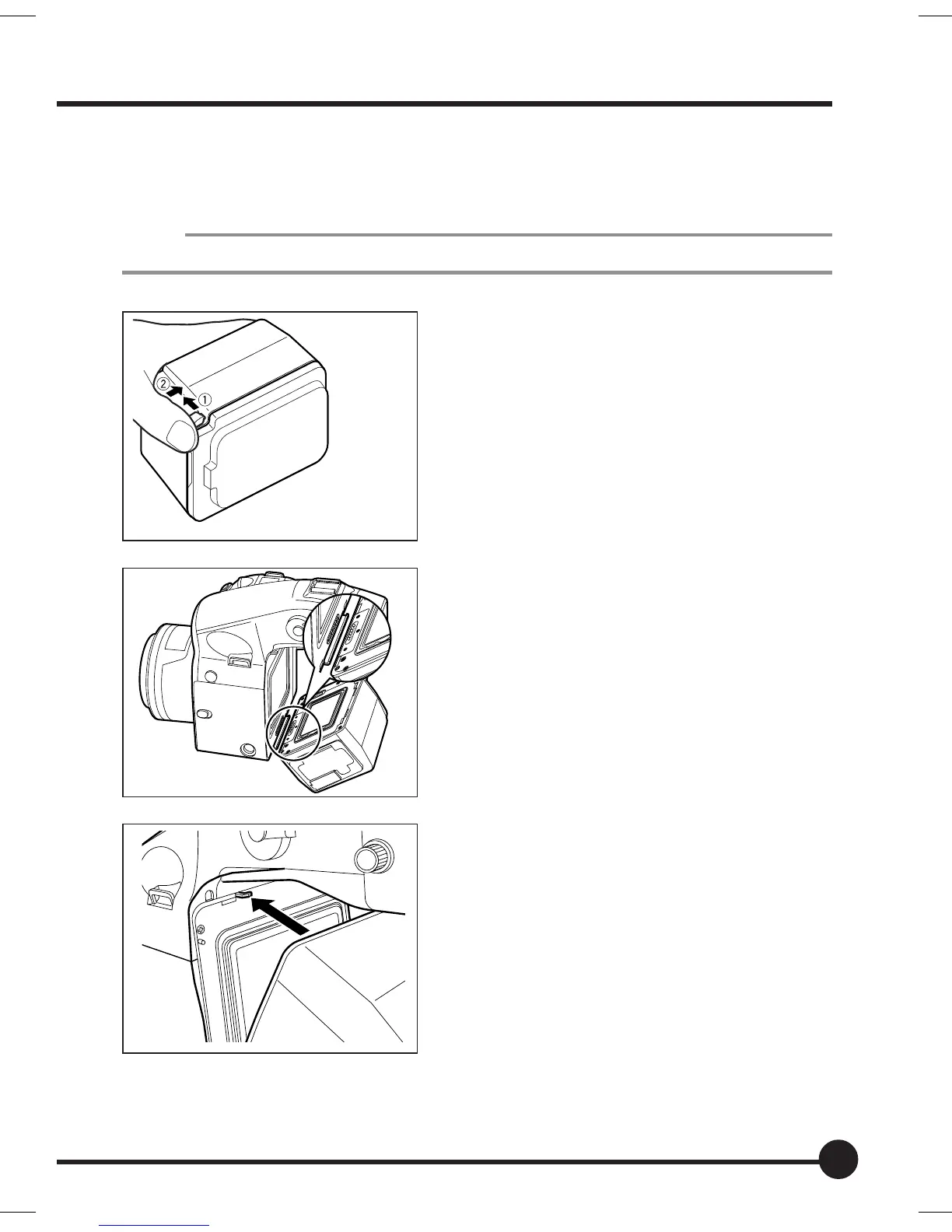
Attaching the Mamiya ZD Back to the Camera (for the 645AFD II)
1. Remove the magazine from the camera.
MEMO
Refer to the instructions for the 645AFDII when removing the magazine.
2. Remove the cap from the Mamiya ZD
Back.
q Pull the detachment lever.
w Press the lever into the unit while si-
multaneously pulling it out.
The cap can then be detached.
3. Align the fitting groove on the bottom
of the Mamiya ZD Back with the holder
attachment fitting on the bottom of
the camera.
4. Press the Mamiya ZD Back onto the
camera, and then insert the fitting
groove at the top into the holder at-
tachment fitting on the top of the cam-
era to secure it in place.
The noise of the shutter being set in
place will be heard when the camera is
turned on.
01_ZD back_E_p011-020 07/3/9, 20:3717



 To Next Page