51
Setting File Numbering
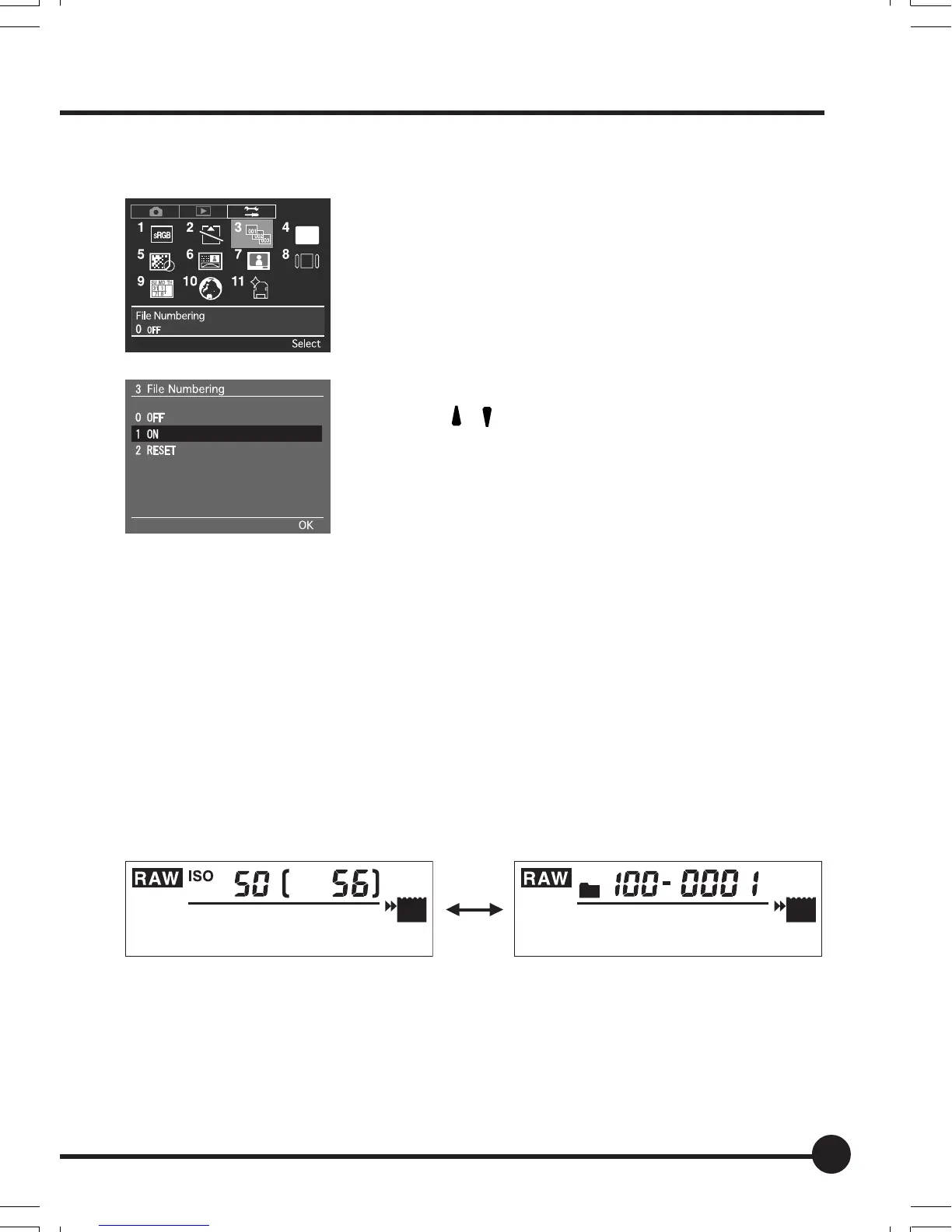
1. Press the MENU button. Press the toggle keys
to select [3 File Numbering] in the setup menu
and press the OK button.
2. The file numbering window appears.
Press [
] [ ] on the toggle key to select [1 ON].
3. Press the OK button.
Folder and File Number Display
You can change the display on the LCD monitor from the ISO sensitivity and
picture count to the folder number and file number. While the ISO sensitivity
and picture count are displayed on the monitor, press the ISO button while
holding down the INFO button. The ISO sensitivity and picture count change to
the folder number and file number. The setting is saved when the camera is
turned off. To restore the normal display, press the ISO button while holding
down the INFO button again.
ISO sensitivity and picture count display Folder number and file number display
JPEG
SD
CF
PC
CUSTOM
JPEG
SD
CF
PC
CUSTOM
03_ZD back_E_p031-052 07/3/9, 20:3951



 To Next Page